
The secrets to finance productivity are so often boring. The most important efficiency lever you can pull? The humble, well-governed invoice workflow. If cash flow is your lifeblood, accounts payable is the circulatory system. That’s why having the best AP automation platform you can get isn’t a nice-to-have—it’s the difference between reactive bookkeeping and a proactive finance function.
But AP isn’t just scheduling payments. It’s capturing invoices from every channel (email, portal, EDI, e-invoicing), using OCR and machine learning to code them accurately, enforcing three-way match against POs and receipts, routing approvals with policy-based controls, coordinating with procurement, receiving, budget owners, and vendors, and keeping airtight audit trails. It also means managing vendor onboarding and tax forms, preventing duplicates and fraud, syncing cleanly with your ERP, complying with global e-invoicing and continuous transaction controls, and giving finance real-time visibility into liabilities and cash commitments. And that’s just the operational layer—AP also shapes supplier experience, early-payment discounts, FX optimization, and working-capital strategy.
I evaluated dozens of AP automation platformsto surface the standouts for the year ahead. Whether you’re looking for a modern alternative to BILL, Tipalti, Coupa Payables, or SAP Concur—or just want to see what’s next—these are my picks for the 10 best accounts payable automation software in 2026.
Tips for picking the best accounts payable automation software
After helping teams with invoices, approvals and spreadsheets for years, and seeing lots of so-called 'magic' AP tools not work in real life, here are the things that really matter when choosing accounts payable automation software:
Aligning with your business size and industry
We can adapt our services to suit your business size and industry. A tool that's perfect for a 15-person agency will probably not be able to handle the invoice volume of a multinational company, and the reverse is also true. You need software that works well with the way you do things now, and that can be used in the future. It would be great if it could already understand the special rules in your industry, like how you pay for projects, how construction companies keep a small amount of money for themselves, or the strict rules about what you can and can't do.
Evaluating ease of use
We are now going to look at how easy it is to use. If your AP team needs a three-day training course just to submit an invoice, it's not automation. It's a new headache. The best tools make onboarding feel obvious: they have clean layouts, clear next steps, and no need to search through lots of menus to find a basic report. You should be able to imagine your least tech-savvy approver using it from their phone without calling you in a panic.
Checking integration capabilities
Your AP software doesn't work on its own. It needs to work well with your ERP, accounting platform, procurement tools, and maybe even your expense or contract systems. Native integrations are best, but good APIs and solid connectors matter too. If the data flows seamlessly, you'll have fewer manual imports, exports, and moments where you're confused about why something doesn't match your GL.
Security considerations
You're dealing with sensitive financial data, banking details, and approvals that move real money, so security isn't optional. Look for basic security measures, such as data encryption and controlling who can access what, as well as meeting any compliance standards you might have (like SOC 2, ISO 27001, or specific to a region). And no, your vendor doesn't need to get your passwords from you quickly to get started.

Assessing automation depth
"Automation" is a word that all vendors love, but not all automation is the same. Look past the jargon and see what happens without human intervention: invoice capture accuracy, automatic matching to POs and receipts, smart routing for approvals, duplicate detection, and touchless processing for regular vendors. The important thing is how many steps you can trust the system to do correctly by itself.
Vendor support
Something will go wrong at some point: a weird invoice, a broken approval chain, an integration that suddenly stops syncing at 11:58 p.m. on the last day of the month. When you're in that situation, you don't want a chatbot that tells you to "try restarting your browser." If you want strong support, you need fast, knowledgeable people, clear service level agreements (SLAs) and a team that really understands accounting, not just software.
Customer success
When you're looking for a partner, it's important to find someone who can help you improve over time, not just fix your problems. This includes help with onboarding, guidance on best practices, and regular check-ins to show you where you could automate more, tighten controls, or improve workflows. Your AP automation shouldn't just digitize your current process. It should help you improve it.
Pricing models and ROI
Paying less each month for a system that wastes your team's time is not a good deal. Take a close look at how pricing works—per user, per invoice, per entity—and how that changes as your business grows. Then think about the real return on investment: fewer manual steps, faster sales, fewer mistakes, better discounts for early payment, and happier sellers. The best AP automation is worth the money because it makes your company's payables operation more efficient.
10 best accounts payable automation software in 2026
Comparison table: features, pricing, and best For
Software | Features | Pricing | Best For |
Automa | Cross-platform AI automation: automates any PC software, web apps or mobile apps | Automa offers a Free tier at $0/month, a Pro level ( $29/month after a 14-day trial), and Enterprise plans with custom pricing for large organizations. | Mid-to-large firms wanting to automate desktop/web/mobile tasks (e.g. finance, e‑commerce, banking) |
Centime | Real-time cash-flow and liquidity visibility built into AP/AR workflows | Custom quotes – AP pricing is by number of invoices (discounts for bundles) | Fast-growing mid-market businesses needing unified AP/AR/cash flow management |
HighRadius | Template-agnostic AI-driven invoice capture (auto data extraction and exception handling) | Enterprise SaaS model – custom quotes (no public prices). | Mid-to-large enterprises with very high invoice volumes and complex AP workflows |
Tipalti | End-to-end global AP and mass payments (200+ countries, supplier portal, tax/FX compliance) | Tiered SaaS: Select $99/mo, Advanced $199/mo, higher plans (Elevate, Accelerate) are custom | Mid-market to large global companies (especially with cross-border payables) |
Stampli | AI-powered invoice capture and coding (“Billy” AI) with in-context, collaborative approval threads | Subscription (monthly/annual) by custom quote – scales by invoice volume, user count and modules | Mid-market and enterprise AP teams (particularly those processing many non-PO invoices) |
Esker | AI-driven document process automation covering AP and O2C, with deep ERP integration | Enterprise deployment – custom quote (no published pricing) | Large enterprises (often in manufacturing/finance) needing end-to-end P2P/finance process automation |
Ramp | Ramp combines corporate cards, bill payments, invoice automation, and expense management into one unified AP/spend-management platform. | Ramp offers a free core tier with unlimited cards and invoice payments, with optional premium features at around USD 15/user/month, and custom pricing for enterprise plans. | Ramp is ideal for mid-size to large companies looking to streamline AP, expenses, and payments under a single platform while maintaining control and scalability. |
MineralTree | Hybrid OCR + human-review invoice capture (~99.5% accuracy) with built-in virtual payments/rebates | All-inclusive subscription (no per-user or per-transaction fees). Fixed monthly/annual fee based on invoice/payment volume | Mid-market companies (especially those on QuickBooks, NetSuite, etc.) seeking invoice-to-pay automation |
AvidXchange | Strong supplier network and payment services – converts paper/check processes to electronic with e-payment incentives | Starts around $440/month (basic). Annual spend up to ~$13K (varies by volume) | Mid-market firms (e.g. real estate, healthcare, education) modernizing AP and payments |
BeanWorks | Unlimited users built-in – integrates invoice capture, PO matching, expense management and payments in one platform | Custom pricing (contact vendor). All plans include unlimited users | Medium-to-large finance teams needing unified AP/PO/expense automation |
Automa
Automa pros
Deep integration with existing business tools for a genuinely automated workflow
Enterprise-grade features at a price point that still makes sense for small teams
Automa cons
Requires a bit of upfront setup and process mapping to unlock its full potential
Best suited to Windows environments
Cross-OS support is improving but not yet perfect
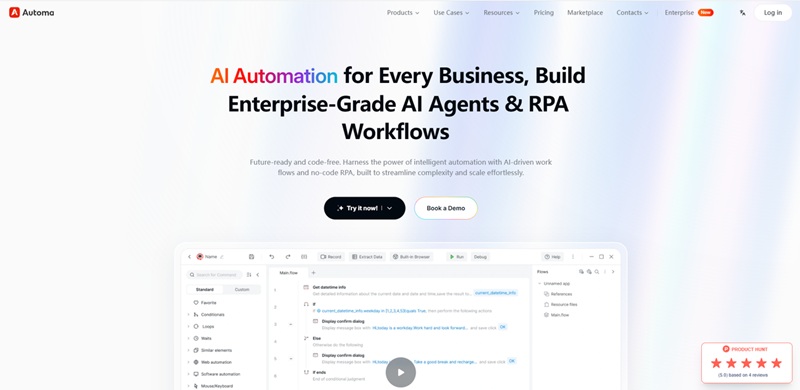
First off: a small reality check. Automa isn’t just another “click a button and magic happens” automation tool. It’s more like a tireless digital colleague who’s brilliant at repetitive work—but you still need to show it what “good work” looks like. Once you do, though, it becomes surprisingly hard to imagine going back to manual processes.
Automa really shines in environments where people live inside Excel, web systems, and internal enterprise apps all day long. Things like copying data between systems, generating reports, processing forms, logging into web portals, or handling approvals—those are exactly the kind of tasks it quietly takes off your plate. Other automation platforms can do some of this, but Automa’s focus on real-world business workflows makes it feel less like a lab demo and more like something that’s genuinely built for ops teams.
It’s also evolving beyond simple RPA into a broader automation platform—combining UI automation, API calls, AI-powered data extraction, and workflow orchestration. In other words, it’s not just “clicking buttons faster than a human”. It’s starting to understand documents, make decisions based on rules, and hand off tasks between bots and people in a controlled way.
Automa’s pricing is positioned so that a single bot can replace hours of manual work every day at a fraction of the cost of adding headcount. And when you scale to multiple processes across departments—finance, HR, operations, customer service—the ROI compounds quickly. Bundled features like centralized management, permission control, and detailed logs make it a better fit for serious business use than the kind of “personal macro” tools many teams start with.
Personally, I think the smartest way to use Automa is as the backbone of your routine operations: identify the top five repetitive tasks that no one on your team enjoys doing, automate them, and then just keep going. In my experience, that’s when people stop thinking of it as “a tool” and start thinking of it as invisible infrastructure that just keeps the business moving.
Centime
Centime pros
Brings cash flow, AR, and AP together in a single, intelligent workspace
Uses AI to automate collections, forecasting, and payments workflows
Centime cons
Requires accounting system integration to unlock full value
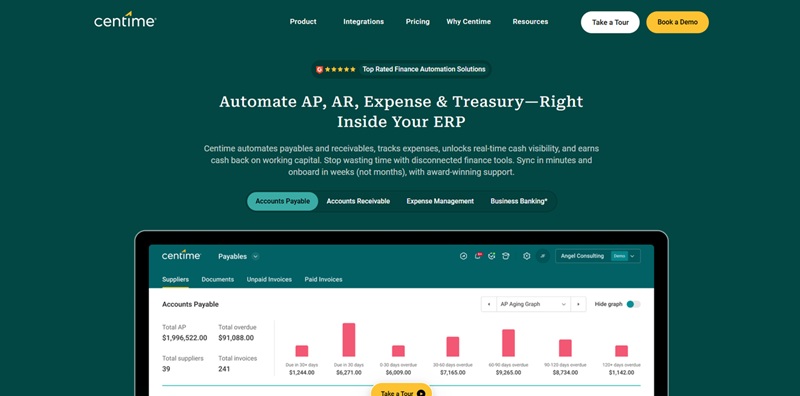
Centime can streamline your finance operations end-to-end with its unified cash flow platform and embedded AI. Deep integrations with accounting systems like QuickBooks and NetSuite make it easy to get started, but it’s flexible enough to support complex, multi-entity environments. The web-based console and dashboards are thoughtfully designed and easy to navigate.
While Centime works well for a wide range of mid-sized businesses, it’s especially powerful for finance teams that manage heavy receivables and payables volumes. If your processes are still driven by spreadsheets and email, Centime’s automation and real-time visibility can be transformative. Teams that already have tightly integrated ERP suites may see some overlap, but Centime’s specialized focus on cash and working capital optimization sets it apart.
Comparing Centime to point solutions for AR, AP, or forecasting alone isn’t entirely accurate. AR tools can accelerate collections and AP tools can streamline payments, but Centime connects both sides of the cash equation and layers in predictive analytics, so finance leaders can see where cash will be—not just where it is today. For CFOs and controllers who need to protect liquidity, reduce DSO and improve vendor relationships, this makes Centime particularly compelling.
Centime also adds intelligent workflows on top of your existing systems: smart dunning campaigns to nudge customers at the right time, automated approval routes for payables, and scenario-based cash flow projections you can share with your leadership team. By centralizing these capabilities and surfacing clear, actionable insights, Centime helps finance teams move from reactive firefighting to proactive, data-driven decision-making.
HighRadius
HighRadius pros
Modern, analytics-heavy tools built to boost cash flow and working capital
Strong automation in AR, cash application, and collections for finance teams
HighRadius cons
Feature depth and configuration options can be excessive for smaller finance operations
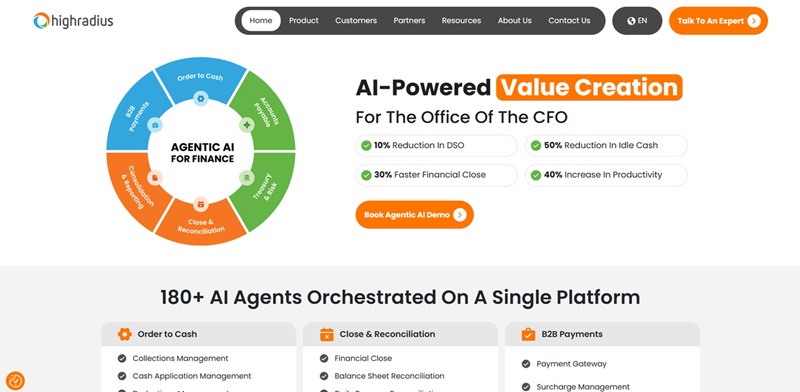
Evaluating HighRadius this year was interesting. Once known primarily as a niche AR automation platform, HighRadius has evolved into a broad, AI-powered treasury and receivables solution aimed squarely at mid-market and enterprise finance teams.
Despite the increasing sophistication of its tools, HighRadius has held onto a surprisingly intuitive, workflow-centric interface. It layers in features that remote and globally distributed finance teams actually need: AI-driven cash application, automated dunning and collections workflows, intelligent dispute management, and credit risk monitoring tied to real-time data. Add to that compliance-friendly audit trails, granular role-based access, and integrations with major ERPs like SAP and Oracle, and you get a system that sits comfortably at the heart of a modern finance stack.
Where HighRadius really stands out, though, is in its use of AI for decision support rather than just basic task automation. Its prediction models help AR teams forecast customer payment behavior, prioritize at-risk invoices, and dynamically segment customers by risk and collection strategy. The virtual assistant functionality—surfacing the next-best action for collectors or suggesting credit limit changes based on live data—can be a game changer for overworked finance teams trying to manage growing portfolios without adding headcount.
Tipalti
Tipalti pros
End-to-end payables automation in a single platform
Built-in global payments engine with support for 196 countries and 120 currencies
Powerful tax, compliance, and supplier onboarding tools
Tipalti cons
Pricing and packaging are aimed at scaling and enterprise companies, not very small businesses
Implementation takes time and change management compared to simple AP tools
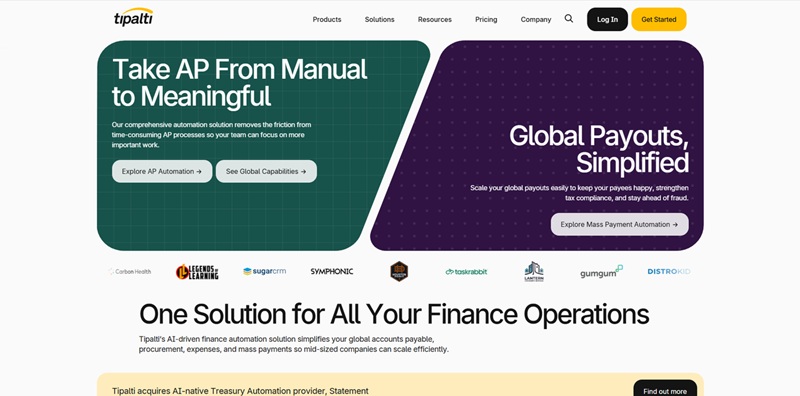
Tipalti is very much designed for finance teams that are drowning in manual payables work. It’s likely overkill if you just cut a handful of invoices a month, but for fast-growing and enterprise organizations that manage hundreds or thousands of suppliers, it’s exactly the level of automation you need.
Tipalti is more than just an AP system now. It makes it easier to onboard suppliers using self-service portals, verifies tax and banking details before payments are made, and continuously checks vendors against sanctions lists to reduce risk. Invoices can be captured and coded automatically, sent through approval workflows that you can set, and scheduled for payment with almost no manual intervention. And because payments are built in, you can pay anywhere in the world via ACH, wire, global ACH, prepaid debit card, PayPal, or checks, all from the same interface.
The way that onboarding, invoicing, and payments are all connected means that finance and accounting teams can see every step of the payables lifecycle. You get real-time dashboards, automated reconciliation, and clean audit trails that make month-end close and audits much easier. It works with popular software like ERPs and accounting platforms like NetSuite, Sage Intacct, and QuickBooks Online, and it has open APIs. This means that Tipalti can be used with other finance software without having to replace it.
When it comes to compliance and control, Tipalti ticks all the boxes you'd expect from a business-class finance solution. It supports complex approval hierarchies, has segregation of duties, configurable payment controls, and robust tax handling (including W-8/W-9 collection and 1099 reporting in the U.S.). It also makes sure it follows important security and compliance rules to make auditors and internal control requirements happy.
Tipalti's new AI features, such as intelligent invoice capture, auto-coding based on past data and anomaly detection to spot potential duplicate or suspicious payments, help finance teams work faster and solve problems before they escalate.
Even though it's got a lot going on behind the scenes, Tipalti's website and apps are actually really easy to use. Suppliers can update their own details and track payment status without emailing AP, while internal approvers can review and sign off on invoices on the go. The result: fewer emails about status and spreadsheets, and more time for finance teams to focus on important work instead of repetitive manual tasks.
Stampli
Pros of Stampli
Truly centralized, collaborative AP automation
Fast implementation with minimal IT involvement
Works on top of your existing ERP
Cons of Stampli
You’ll still need internal process discipline (no software fixes chaos by itself)
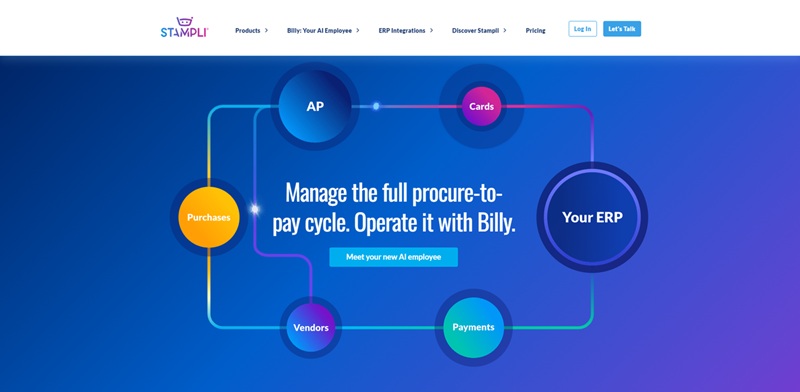
I stumbled onto Stampli while helping a finance team modernize their AP stack, and I’ve kept coming back to it ever since. I’ve tested plenty of “smart” AP tools that promise to automate everything, but Stampli is the one that quietly sits on top of your existing ERP and just…handles the mess. Why? Because it’s the most straightforward way to take invoices from “in someone’s inbox” to “approved and paid” without forcing your team to rebuild their entire workflow or migrate off the system they already use.
Everything in the invoice lifecycle runs through Stampli for my clients: invoices emailed in, scanned, routed, commented on, and approved—without long email chains or mystery bottlenecks. It lives in the background of their day-to-day work, pulling data from the ERP, pushing approvals back, and keeping everyone in the loop without them needing to babysit the process. AP teams can keep using the ERP they know. Stampli just adds the collaboration layer and intelligence they were missing.
Stampli is also a communication hub for AP. Instead of pinging people on Slack, forwarding emails, or chasing down managers for signatures, comments and approvals happen directly on the invoice itself. Need clarification on a vendor, a PO, or a charge? Ask right there on the invoice card. Everyone sees the same context, and nothing gets lost. Once it’s approved, the data flows back into the ERP, ready for payment—no double entry, no jumping between tools.
Basically, Stampli brings together everything most finance teams actually need from AP automation: invoice capture that just works, a single place for every conversation about that invoice, and a clean, auditable approval flow that sits on top of your existing systems. You can configure flexible approval workflows, leverage AI to suggest coding and flag anomalies, and standardize vendor handling without forcing a massive digital transformation project.
Stampli supports strict role-based access, detailed audit trails, and enterprise-grade security controls, which matters to organizations that care about compliance and control. It doesn’t try to replace your ERP—it amplifies it, turning AP from a slow, reactive cost center into a predictable, visible, and largely automated process.
Esker
Esker pros
Use one platform to manage documents across multiple systems.
Automating the process from order to cash and from procurement to payment.
Esker cons
This toolkit is really powerful, but it's best for organisations that want to change their old ways of doing things.
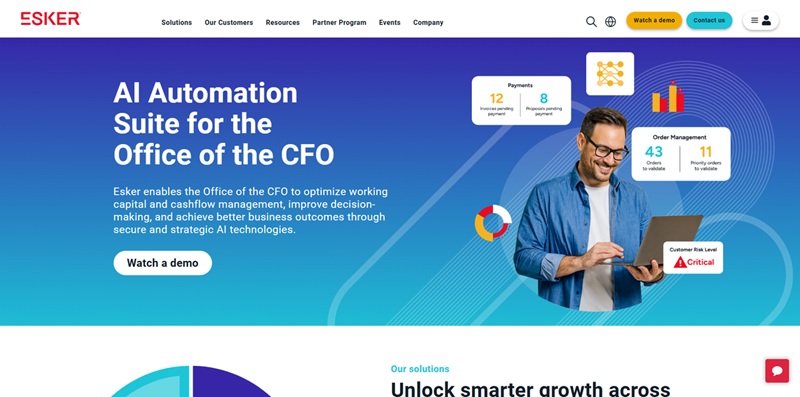
Maybe your finance and customer service teams are very busy with emails, PDF invoices and manual data entry, but you're not ready to replace every system you already use. Esker is the answer.
First, connect Esker to the tools you use every day, like your ERP, email, file shares, and even older systems. Then, let Esker be your smart "control centre" for all your document-heavy processes. Put all customer orders, supplier invoices and delivery documents together in one place, no matter where they came from.
You keep your main systems of record, but Esker sits on top of them. It uses AI to automatically collect data, and it has approval workflows and analytics. This means fewer places where things can go wrong, fewer mistakes, and much less of the question, "Where's that document?" on your teams. It's not a complete replacement for your ERP or CRM, but it does change how those systems are used every day.
If you don't want to change everything at once, Esker lets you choose where to start. You can automate customer orders, digitise AP invoices, streamline collections, or roll out electronic delivery notes. Then, as you see results, you can expand gradually.
Esker also offers some smart features that you won't get with a basic workflow tool. The software can:
capture data from messy PDFs and emails using AI
store data electronically in a way that follows local regulations
let customers and suppliers access their own portals
provide real-time dashboards for cash flow and workload visibility
enable collaboration between sales, finance and operations teams without using email
Ramp
Ramp pros
Genuinely smart spend controls that feel built-in, not bolted on
Real-time visibility makes finance teams way less reactive
Ramp cons
Still overkill if you’re a tiny business that just wants a basic card
The name “Ramp” does make it sound like a skate brand, not finance software
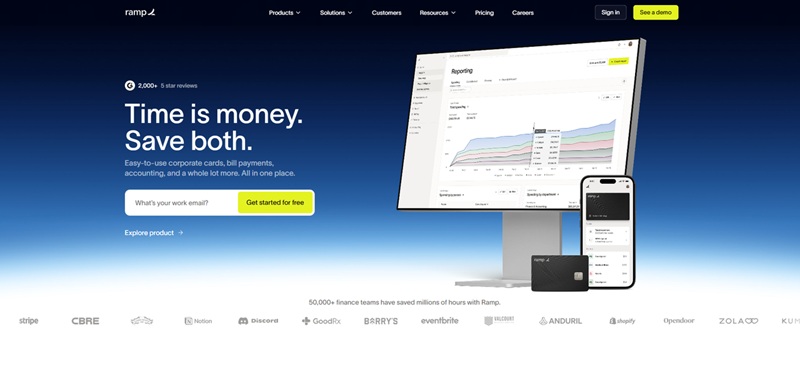
I’m happy to say Ramp’s platform has evolved into something that actually feels cohesive, not just “a corporate card with some dashboards.” It’s now a proper spend management system that works smoothly across web and mobile, so you can issue cards, set limits, and track spend without wrestling with clunky menus or outdated UIs. The browser extension and email integrations make it feel less like “yet another tool” and more like a layer baked into how your team already works.
One feature more finance tools should copy from Ramp is its automation around receipts and categorization. Instead of chasing people at the end of the month, you get real-time prompts and auto-matching that cut down on manual work and missing documentation. It’s surprisingly hard to overstate how much friction this removes from closing the books and keeping expenses clean.
Ramp’s pricing is also compelling, especially compared to legacy corporate card providers and expense tools that love to stack opaque fees on top of bloated software. Ramp’s model leans into savings and automation rather than nickel-and-diming, which makes it attractive for companies that care more about efficiency than fancy-sounding add-ons they’ll never fully use. It’s not that those all-in-one “finance OS” platforms are bad—but if you don’t need complex banking products or heavy ERP-style features, Ramp can offer better long-term value just by helping you spend less and save time.
Where Ramp really stands out is in its analytics and savings insights. Because it sits in the flow of spend, it can highlight duplicate subscriptions, underused tools, and odd spend patterns—things most teams only discover during an annual audit or when the CFO gets a nasty surprise. For fast-growing companies trying to stay disciplined without turning into a bureaucracy, Ramp hits a sweet spot: strong control and visibility, without making every purchase feel like a trip to the finance committee.
MineralTree
MineralTree pros
Excellent end-to-end AP automation platform for growing finance teams
Automates invoice capture, approval workflows, and payments in one system
Deep integrations with popular ERPs and accounting tools (NetSuite, Sage Intacct, QuickBooks, and more)
MineralTree cons
Can feel complex at first if your current AP process is completely manual or email-based
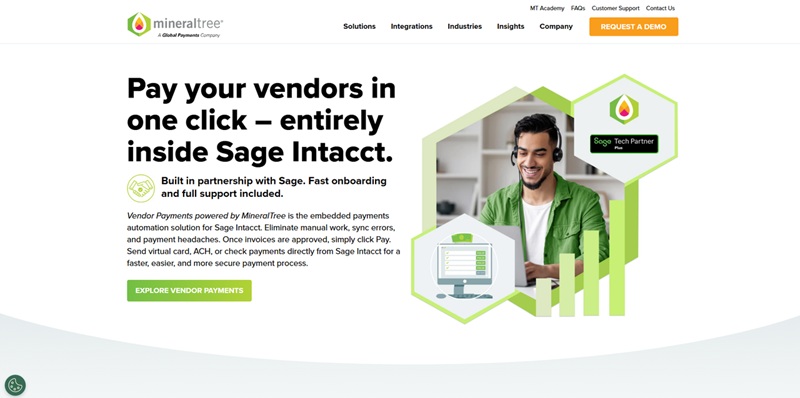
MineralTree is a powerful hybrid between AP workflow automation and a payment execution hub. While many AP tools focus either on digitizing invoices or on sending payments, MineralTree does both—and stitches the entire payables lifecycle together. Invoices can be captured automatically (via email, upload, or OCR), routed to the right approvers, matched to POs, and then paid via ACH, virtual card, or check without leaving the platform.
MineralTree has been a strong AP automation solution for years, but it has become significantly more capable as mid-market finance teams demand better control and visibility. Now you get richer approval rules, tighter ERP sync, and more sophisticated payment options, including virtual cards that can generate cashback and enhance security. That positions MineralTree as a compelling alternative to running AP directly out of your ERP: you keep your system of record, but layer on automation, audit trails, and payment optimization.
Another big plus is how MineralTree centralizes vendor payments. Instead of juggling bank portals, card programs, and paper checks, finance teams can standardize their payment process in one place. The platform helps maintain vendor data, reduce payment errors, and cut down on fraud risk with built-in controls and role-based permissions.
MineralTree essentially gives you a modern AP command center: automated invoice capture, configurable approval workflows, real-time visibility into liabilities, and a unified payment engine that plugs into your existing accounting stack. For companies that have outgrown spreadsheets and email-based approvals—but don’t want to rip and replace their ERP—MineralTree offers a pragmatic, end-to-end path to true AP automation.
AvidXchange
AvidXchange pros
Reduces manual data entry and paper handling, cutting errors and processing time
Integrates with hundreds of ERP and accounting systems for smoother implementation
AvidXchange cons
Best suited for mid-sized and larger organizations
Requires some process change and training before you see full efficiency gains
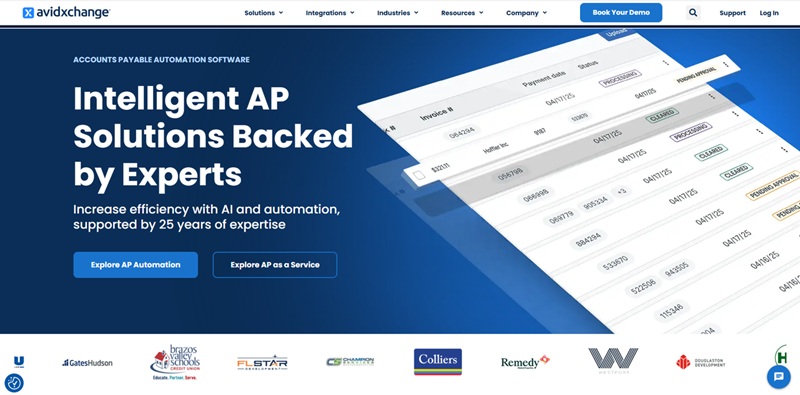
If you care more about eliminating tedious, manual AP work than preserving old paper-based routines, AvidXchange gives you everything you need in one platform—invoice capture, automated approval routing, supplier payment execution, and real-time spend visibility—all designed to streamline how money moves through your organization.
AvidXchange works across departments and locations and takes the complexity out of modernizing accounts payable. The interface is intuitive and approachable, so your finance team doesn’t need to be “automation experts” to use it, with the added benefit of always knowing where every invoice is in the process and when each supplier will be paid.
AvidXchange is the AP automation hub at the center of your financial operations, with features that make it easy to standardize workflows while still accommodating the way your business already works. You can capture invoices electronically, route them automatically to the right approvers, and pay suppliers via virtual card, ACH, or check without leaving the platform—reducing bottlenecks and improving control.
AvidXchange’s purpose-built tools for AP teams provide strong value and make it far easier to scale your payables process as your business grows. The only real trade-off is that it’s optimized for organizations processing a higher volume of invoices each month. If your invoice volume is very low or your processes are extremely simple, some of AvidXchange’s power may go underused.
BeanWorks
BeanWorks pros
Intuitive AP automation for growing finance teams
Strong vendor management and approval workflows
BeanWorks cons
Limited functionality beyond AP and invoice workflows
Requires time to set up custom approvals and integrations
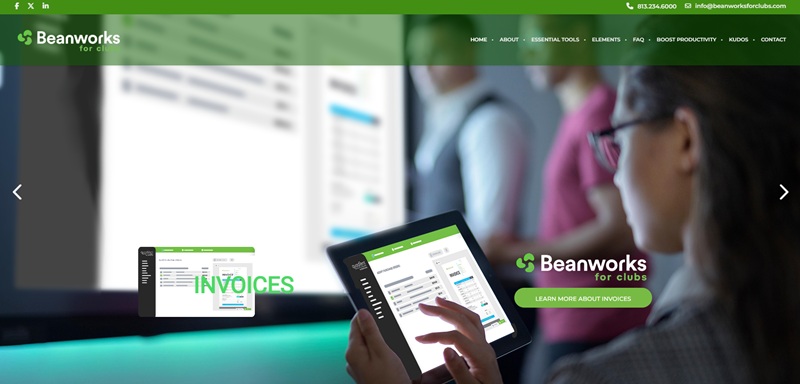
If you want to tame an overflowing inbox of invoices and move away from manual data entry, BeanWorks delivers a powerful, finance-friendly way to automate accounts payable without overwhelming your team. It’s built specifically for AP, so you get deep functionality around invoice capture, coding, approvals, and payments—without needing a full-blown, complex ERP module.
Where BeanWorks really shines is in centralizing the AP process end-to-end: invoices are captured (via email, scan, or upload), automatically coded with the help of smart data extraction, then routed through customizable approval workflows that mirror how your business actually operates. Vendor records stay organized, and your finance team gets real-time visibility into what’s pending, approved, and paid.
On the pricing and value front, BeanWorks tends to be more affordable and focused than large enterprise suites, while still offering core integrations with popular accounting systems like QuickBooks, Sage, and Xero. For many mid-market companies, that balance of power and simplicity makes it a compelling choice.
Still, there are a few trade-offs. BeanWorks is laser-focused on AP, which means you won’t get a broad suite of finance tools in one place—if you need AR automation, advanced budgeting, or full procurement analytics, you’ll likely pair it with other systems. And while the approval workflows are a major strength, configuring them to match your exact policies can take some upfront effort, especially in organizations with complex sign-off rules.
If your priority is to automate AP, get rid of paper and email-based approvals, and give your finance team better control over invoices and cash flow, BeanWorks is one of the strongest, most purpose-built options in the AP automation space.
The AP automation benefits for finance teams
More time
Using technology to process invoices means you don't need to enter data manually, or send invoices to the right people for approval. This means less time spent on admin and more time for your team to focus on more important tasks.
Save money
AP automation can save you money in two ways:
It can reduce the amount of manual labour needed.
-It can reduce the number of errors made.
The result? Fewer late payment penalties.

Enhanced accuracy
Automation helps to make sure that there are no human errors, such as entering the wrong data, making duplicate payments or losing invoices, which means that the financial information is more accurate.
Quicker approvals and payments
Using AP automation means invoices are approved more quickly. This means on-time payments, better relationships with suppliers, and sometimes even early payment discounts.
Improved compliance and audit readiness
It's easier to comply with regulations and get ready for audits. Automated workflows keep detailed records, enforce internal controls, and make audits easier by allowing you to follow a process and see every step.
Manage your money better
If you can see what you owe to other businesses right away, the team in charge of your money can predict exactly how much money you need and make the most of the money you have.
Scalability
AP processes can be made bigger or smaller easily. This means that more invoices can be dealt with without employing more staff. This makes it easy for a business to grow.
Insights based on data
Automation platforms often include reporting and analytics features. These help finance teams to spot trends, inefficiencies or opportunities to save money.
Future trends in AP automation beyond 2026
The role of AI, machine learning, and predictive analytics
Beyond 2026, AP automation will shift from reactive processing to proactive decision-making. AI and machine learning models will no longer just extract invoice data—they will interpret, predict, and recommend actions. AP teams will rely on predictive analytics to forecast cash requirements, detect anomalies, assess vendor risk, and recommend optimal payment timing. AI agents will automatically resolve exceptions, enrich missing data, and classify invoices with near-zero human involvement. The result is a future where AP becomes a real-time intelligence center rather than a back-office function.
Touchless invoicing and straight-through processing
Straight-through processing will become the expected benchmark for mature finance teams. End-to-end invoice handling—capture, verification, 2-way/3-way matching, GL coding, approvals, and posting—will execute without human touch for the majority of transactions.
Advancements in document intelligence, vendor onboarding automation, and autonomous workflow routing will make “touchless AP” a reality for 70–90% of invoices. Human involvement will be reserved for true exceptions, complex contracts, or strategic supplier negotiations.
Embedded payments and virtual cards
Payment initiation will increasingly happen inside AP platforms rather than through external banking portals.
Embedded payments will allow AP teams to:
Trigger ACH, wires, RTP, and card payments directly within their AP system
Automate payment approvals and compliance checks
Route payments through the cheapest or fastest rails automatically
Virtual cards will expand as a standard payment method, offering:
Instant issuance
Controlled spending limits
Enhanced rebates
Massive fraud reduction
AP will evolve into a revenue-generating function as virtual card rebates become a predictable income source.

Cross-border payments and global compliance
As businesses grow more global, AP automation platforms will take on complex regulatory and tax responsibilities. Beyond 2026, solutions will support:
Real-time FX rate optimization
Automated tax/VAT handling
e-invoicing compliance aligned with global mandates (e.g., EU ViDA, Latin America’s fiscalization regimes)
Automated sanctions and supplier risk screening
Multi-entity, multi-currency settlement from a single dashboard
Global AP workflows will move toward unified orchestration, reducing the cost and time required to manage cross-border vendor ecosystems.
AP and AR convergence for end-to-end finance automation
One of the biggest shifts after 2026 will be the merging of AP and AR systems into connected “order-to-cash” and “procure-to-pay” ecosystems. Integrated AP–AR networks will allow:
Suppliers and buyers to share invoice data instantly
Automated reconciliation across both sides
Real-time visibility into cash positions across the supply chain
Dynamic discounting with AI-driven negotiation
Faster dispute resolution and lower DSO/DPO fluctuations
This convergence will push finance teams toward true end-to-end automation, eliminating redundant workflows and providing a synchronized view of working capital across the entire organization.
Why Automa is the best accounts payable automation software?
Need lightning-fast invoice capture and approval routing that just works out of the box? Automa. Deep, no-drama integration with your existing ERP and finance stack? Automa. Want to automate messy, exception-heavy workflows instead of just the easy 80%? Still Automa.
That’s where Automa stands out: it doesn’t just store invoices or move them along a basic workflow—it orchestrates the whole process. From intelligent data extraction and rule-based approvals to compliance-ready audit trails and seamless posting into your core systems, Automa AI automation is built to reduce human error, shrink cycle times, and give you real-time visibility into every cent you’re about to pay.
Wherever you are on your automation journey, build strong financial operations habits alongside the tools you use. Standardize your approval rules, centralize vendor data, and keep humans in control of the exceptions that really matter. Let Automa handle the repetitive work, so your team can focus on cash strategy—not copy-paste.

Conclusion
The “best” software in 2026 will depend on your invoice volume, approval complexity, team size, and how tightly you need to integrate with tools like your ERP, bank, or expense platform. It also depends on how much control you want over payments themselves: some teams want a full payment hub in the same system, while others are happy keeping disbursements separate and just need flawless invoice handling.
Wherever you land—whether it’s a lean tool that just kills manual data entry, or a full‑blown payables platform that runs your entire invoice‑to‑pay cycle—bake in security, governance, and backup processes from day one. Treat automation as an extension of your finance policies, not a substitute for them. Do that, and AP stops being a reactive cost center and becomes a strategic lever for visibility, control, and cash optimization.
FAQs
What is the difference between basic invoice scanning and full AP automation?
Basic invoice scanning just reads the information on invoices from PDFs or paper and puts it into digital boxes you can see and export. They still need to send invoices to be approved, match them to POs, deal with exceptions, and schedule payments.
Full AP automation not only reads the invoice, but also checks it, sends it to the right people to approve, applies your company's rules, matches it against POs and receipts, and then enters the invoice into your ERP or accounting system for payment.
How long does it usually take to implement AP automation software?
Many teams can get a basic AP automation setup up and running within a few weeks, especially if they start with a standard workflow and a single ERP connection. More advanced features, such as custom approval rules, complex PO matching logic, multiple legal entities, and several integrations, can take a few months to fully introduce.
Can AP automation integrate with my existing ERP or accounting system?
Yes. Modern AP automation platforms connect with your existing ERP or accounting systems. The automation tool will sync master data like vendors, GL codes, and POs from your ERP, then send back approved invoices, coding, and payment status.
How does AP automation improve control and reduce fraud risk?
AP automation improves control by making sure everyone follows the same procedures and keeping a clear record of every invoice. You can set up rules to approve invoices based on things like the amount, the cost centre, the vendor, or other criteria. This means that invoices can only be paid if they go through the right checks.
What KPIs should I track to measure AP automation success?
The most common KPIs are things like how long it takes to process invoices on average, the cost of each invoice, and what percentage of invoices are processed without needing to be checked by a person. You can also keep track of how often there are exceptions, how often payments are made on time, and how much of an early payment discount is captured. These metrics make it easier to measure how well you are doing, support continuous improvement, and demonstrate the value of your AP automation investment.