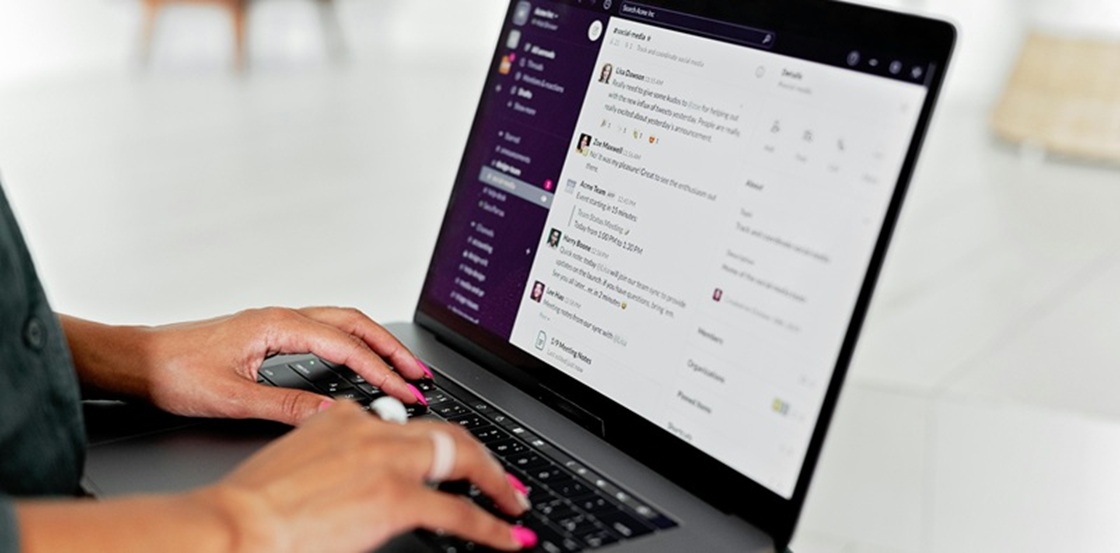
Email. It’s the digital heartbeat of our workday—until it becomes a monster under your desk.
You know the feeling. That inbox is a bottomless pit. A tidal wave of notifications, replies, and "urgent" requests that never stops crashing down. You’re drowning in the noise, fishing for important messages with a net full of holes.
Sound familiar? It’s time to fight back.
The AI email assistant is your new sidekick. It tackles the tedious work so you don't have to. We’re talking smart sorting, one-click replies, and even drafting full emails that sound like you.
The result? You can catch your breath. You reclaim your focus. You finally become the master of your inbox.
But with so many of these tools available, which one deserves a place in your arsenal? This guide is your battle plan. We’re breaking down the smart tech behind these assistants and—most importantly—giving you the inside scoop on the top tools to watch in 2026.
Ready to turn that inbox avalanche into a quiet, organized zen garden?
What is AI Email Automation?
Let's briefly review the situation. Before we proceed to meet the contenders, it would be beneficial to define the concept of "AI email automation" to ensure a clear understanding of the subject matter. In essence, this process involves the automated management of your inbox. Imagine a smart, dedicated intern, powered by artificial intelligence, working on your emails. The primary responsibility of the intern is to manage tasks that are repetitive in nature and may be perceived as monotonous.
How does it function? They use a combination of machine learning and natural language processing (NLP) that is second to none. It is capable of reading emails, grasping context and understanding nuance, just like a human would. It learns what is important to the user, how urgent each task is, and the user's preferred method of communication.
The result? It automatically triages messages, suggests appropriate replies and drafts emails using keywords. It is not merely a matter of organisation; it is also a question of understanding.
While you are preoccupied with the high-level work that has a tangible impact, your AI assistant discreetly ensures that digital documentation is managed efficiently. The objective is not to replace you, but to liberate you.

What Can an AI Email Assistant Do for You?
Think of your AI email assistant as less of a tool and more of a hyper-efficient chief of staff for your inbox. It’s the force multiplier that takes the busywork off your plate. Here’s how it rolls up its sleeves and gets to work.
Automated Processing
Your inbox is a jungle of chaos. The AI for emails is your expert guide, cutting a clear path through the vines. It instantly scans every incoming message, plucks out the key details, and sorts them with laser focus. That urgent request from your boss? Flagged for your immediate attention. That 50%-off coupon for cat toys? Silently banished to the promotions abyss. The result? You see what matters, right now. No more digging.
Smart Reply & Writing
Staring at a blank email canvas is a creativity killer. With the help of large language models like GPT-5 and Claude 4, AI email tools can quickly analyze the sentiment and content expressed in the emails you receive. It's the muse that hands you the perfect words.
It serves up one-tap replies that are genuinely smart. But it doesn't stop there. Need to draft a delicate follow-up? It can compose it. Is your message a bit long-winded? It will tighten it up with a single click. Consider it your always-on editor, ensuring you sound sharp, clear, and professional in seconds.
Unfortunately, automated email responses are not yet common. If you want to set up automatic email replies, you can use technology called Automa IPA (Intelligent Process Automation). Connect your email inbox to Automa and combine it with ChatGPT or other large language models. This means it can automatically send emails.

Data Enrichment
Walk into every conversation with the upper hand. Your AI assistant acts like a private investigator, baked right into your inbox.
It automatically attaches relevant context to every email. See a contact's recent LinkedIn activity, their company news, or your last meeting notes—all without tab-switching.
Imagine you're a sales rep writing a follow-up email to a possible customer. Your AI email assistant instantly displays key information: your client recently posted an article on LinkedIn about "AI-driven inventory management," their company is focusing on customer retention, and there are internal records of past pricing issues. You can use this information to write a strong, personalised email that speaks to the things your potential client is currently worried about and what is important to them. It’s the ultimate wingman for personalized, powerful communication.
Multimodal Capabilities
The future isn't just typing. The best AI assistants are breaking the text-only barrier. Now, some AI personal assistant apps can use voice input to turn it into commands or help you write emails. Dictate an email with your voice while walking to lunch. Have it intelligently describe an image you drag into the compose window. It’s about making email work the way you do: dynamically and efficiently.
Ready to stop being a janitor for your inbox and start being the CEO? These aren't far-off futuristic dreams—they are the practical, productivity-boosting superpowers a modern AI assistant delivers today. The only question left is, which one will you choose?
How to Choose the Best AI Email Assistant?
Before choosing an AI email assistant, we need to know how to check if an AI email application is any good. Here are some of the most important things to think about when choosing an AI email assistant, based on our testing of most products available on the market.
Ease of Use: Is the tool user-friendly, or does it require a steep learning curve?
Compatibility: Does it work seamlessly with your current email platform (Gmail, Outlook, etc.)?
Features: Does it offer the features that are most important to you (e.g., smart replies, categorization, integrations)?
Security: How secure is the tool when handling sensitive data? Could this be a problem for your security?
Pricing: Does it offer value for the cost? Many tools have a free trial.
Top AI Email Assistants
After testing and using it a lot, we have narrowed down our options to the following. Let’s take a look at some of the top AI email assistants in 2026:
Fyxer
Fyxer is a powerful AI email assistant that focuses on automation and data processing. It helps prioritize emails, offers smart responses, and integrates with other business tools like CRMs.
Fyxer pros:
Deep integration with CRMs and business tools
Automates data entry and processing
Fyxer cons:
Less focused on the individual writing experience
Setup requires connecting your entire tool stack
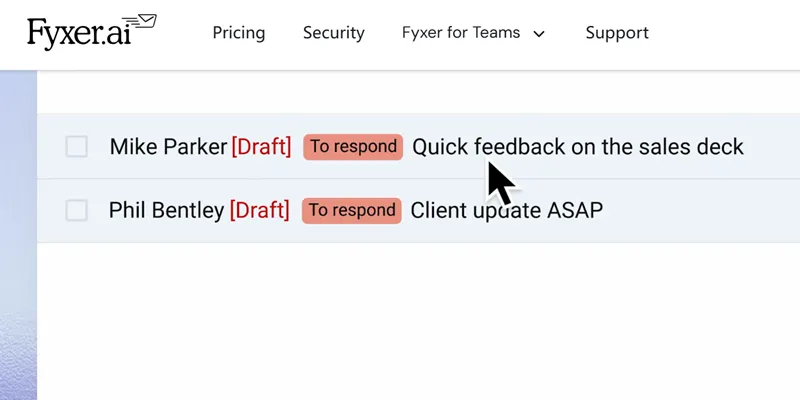
Fyxer isn't just about managing emails—it's about automating your entire operational workflow. By syncing deeply with your CRM, it can automatically update contact records, log interactions, and prioritize emails based on deal stage. This is a game-changer for sales teams drowning in manual data entry.
The power of Fyxer lies in its triggers and actions. You can set it to, for instance, automatically tag and high-priority an email from your most important client's domain, then create a task in your project management tool. Let's walk through a typical automation:
When a new email comes in, Fyxer scans the content and sender.
If it's a customer inquiry: it can automatically tag it as "Support," log it in your helpdesk, and assign it to a team member.
If it's a sales lead: it can prioritize it in your "Hot Leads" inbox and create a new contact in your CRM.
The initial setup demands patience—you'll need to map out your workflows and connect your apps. But once configured, Fyxer works silently in the background, turning your inbox from a communication tool into a central command hub for your business operations.
Fyxer's brilliance is in its deep integrations, which means it shines brightest when your entire tech stack is plugged in. It's overkill for a solo user but indispensable for a team running on data.
Shortwave
Shortwave combines sleek design with smart email management. It’s known for its intuitive user interface and automatic categorization of emails, making it easy to declutter your inbox.
Shortwave pros:
Sleek, intuitive design that feels familiar
Powerful AI-powered search
Shortwave cons:
Exclusive to Google Workspace users
AI features are still rolling out
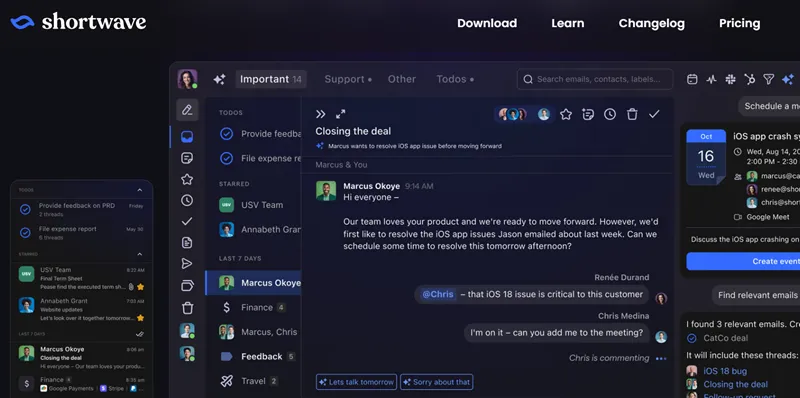
Shortwave feels like the lovechild of Gmail and a modern notes app. It takes the Gmail foundation you know and layers on a sleek, intuitive interface with AI smarts that feel helpful, not intrusive. Its standout feature? An AI-powered search that understands natural language, so you can find "that email from Sarah about the Q3 budget spreadsheet" in seconds.
The magic is in the details. It automatically scans your emails for key points like dates and tasks, surfacing them neatly. Let's see how its AI organizes your day:
When you open Shortwave, your emails are neatly sorted, but the real power is in the AI search bar.
To find a specific attachment: simply search "PDFs from last week," and it'll surface them instantly.
To triage quickly: use the "Snippets" view to skim summaries of long threads without opening them.
While it doesn't have the deep automation of Fyxer, Shortwave is perfect for anyone who lives in Gmail and wants a cleaner, faster, and smarter experience without a steep learning curve. It’s a gentle yet powerful evolution of the inbox you already love.
Being Gmail-only is its greatest strength and its biggest limitation. But if your world runs on Google, this is your upgrade.
Microsoft Copilot Pro for Outlook
As part of the Microsoft Copilot suite, this AI assistant is a natural extension for anyone using Outlook. It provides smart email categorization, predictive replies, and scheduling assistance.
Copilot pros:
Deepest integration with Outlook and Microsoft 365
Can summarize long threads and draft replies in your style
Copilot cons:
Only makes sense if you're already a Microsoft 365 user
The $20/month add-on feels pricey on top of a 365 subscription
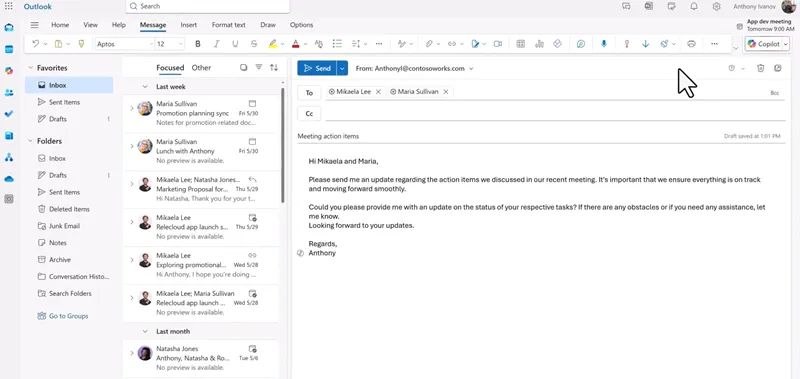
If your professional identity is your Microsoft login, Copilot is less of an add-on and more of a natural extension of your digital self. It lives inside Outlook, understanding the context of your meetings (from Teams), your files (from OneDrive), and your contacts to generate incredibly relevant email drafts and summaries.
The integration is seamless. There's no new interface to learn; you just get a "Copilot" sidebar in your Outlook window. Let's see it in action:
When you open a lengthy email thread about a project you're managing, you can click the "Summarize" button from the Copilot pane.
It will instantly produce a bulleted summary of key decisions, action items, and unanswered questions.
To draft a reply, you can command it to "Write a response agreeing to the timeline but asking for more details on the budget," and it will, pulling in relevant data from the thread.
You're already paying for Microsoft 365, and this is another $20 on top. But for power users who live in this ecosystem, the time saved on information synthesis and communication is substantial.
Gemini for Gmail
If you're a Gmail user, Gemini is one of the best AI email assistants for you. It automates responses, provides insights into email trends, and even summarizes long email threads to save you time.
Gemini pros:
Conveniently built into Gmail
Good for quick tasks like summarization and basic drafting
Gemini cons:
Features can feel surface-level compared to specialists
Less control over output
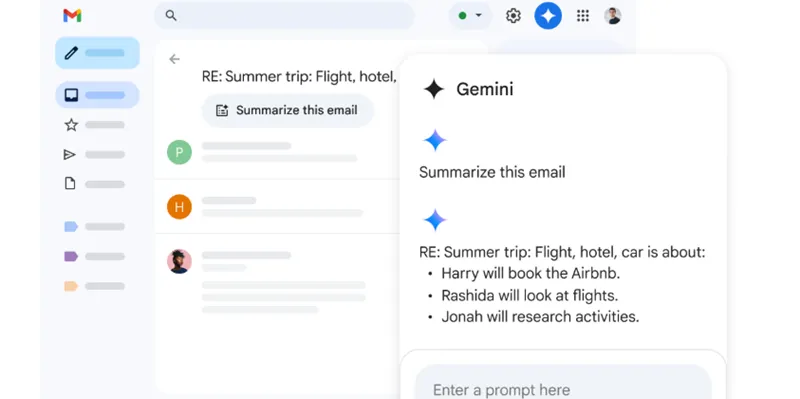
Gemini (formerly Bard) is Google's answer to AI in the inbox. Its biggest advantage is that it's right there, nestled in the side of your Gmail window. For the "I just need a little help" user, it's perfect. Need to quickly grasp the gist of a long thread? Gemini can summarize it. Want to draft a simple reply? It can help.
Using it is straightforward. The interface is minimal, focusing on prompts. Here’s the typical flow:
You're on the go and need to reply to a complex email on your phone.
Open the Gmail app, and tap the "Help me write" prompt.
Type in "Accept the meeting but propose next Tuesday instead," and it will generate a polite, professional draft for you to send.
It's not designed for heavy lifting or complex workflows, but for the average user who wants AI assistance without learning a new app or paying a premium, it’s a solid, convenient choice.
It's a jack-of-all-trades, master of none. It won't revolutionize your workflow, but it will save you a few minutes each day.
Apple Mail with Apple Intelligence
Apple’s AI email assistant comes built into Apple Mail. With AI-driven suggestions, automatic sorting, and personalized responses, it enhances your email experience with a native, seamless integration.
Apple Mail pros:
Deep, native integration across iPhone, iPad, and Mac
On-device processing for maximum privacy
Effortless to set up and use
Apple Mail cons:
Only available on the latest devices and OS
AI features are simpler and less customizable
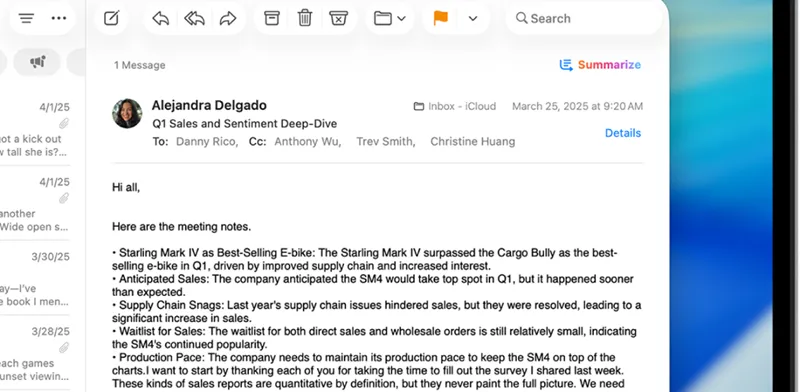
Apple Intelligence in Mail is the definition of "it just works." There's no setup, no new app, no subscription. The AI lives directly in the Mail app you already use, processing everything on your device. This makes it incredibly private and seamless. Its flagship feature is "Rewrite," which lets you change the tone of your draft to be more professional, concise, or friendly in a tap.
The experience is uniformly simple across your devices. Let's see how it handles a busy inbox:
You return from vacation to hundreds of emails. On your iPhone, you pull down the notification center.
Tap "Priority Notifications," and Apple Intelligence uses on-device logic to show you only the most critical emails, like direct messages from your boss or time-sensitive delivery alerts.
To quickly draft a reply, you can select a passage and choose "Rewrite -> Professional" to instantly polish your text.
You need the latest Apple hardware and software to get it, and the features are purposefully simple. But for sheer, private, and effortless assistance within the Apple walled garden, it's unbeatable.
Superhuman
Known for its sleek design and lightning-fast performance, Superhuman offers an AI-powered experience that includes smart replies, email tracking, and scheduling, all built around speed and efficiency.
Superhuman pros:
Lightning-fast, keyboard-driven interface
Powerful split inboxes and email commands
Superhuman cons:
Significant learning curve for shortcuts
Premium price tag
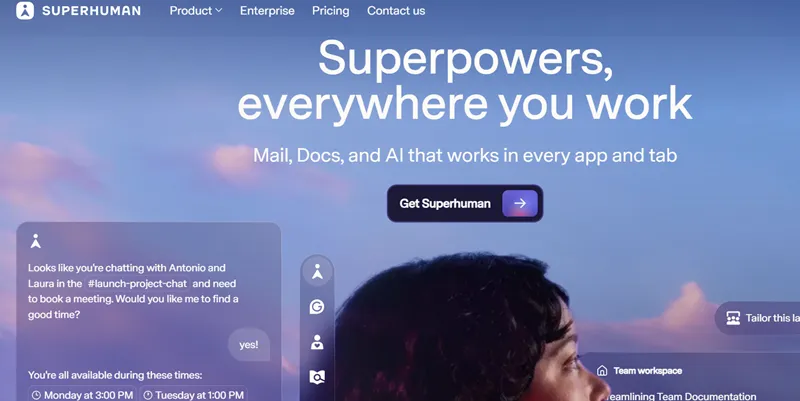
Superhuman isn't just an email client—it's an opinionated system designed for those who see email as a workflow to be mastered, not a task to be endured. The core philosophy is speed: every action, from archiving to searching, is optimized for keyboard shortcuts, making you feel like a conductor orchestring your inbox. Recently acquired by Grammarly, it's poised to better balance AI's raw speed with the precision of your unique voice.
The initial learning curve is real. You can't just click around. You must learn the shortcuts. But once you do, the muscle memory kicks in, and your hands fly across the keyboard. Let's walk through the signature "Superhuman Reply":
When an email arrives, you press Enter to start a reply—no clicking needed.
To generate an AI draft, you hit Ctrl + J (or Cmd + J on Mac), type a quick prompt like "Accept and suggest next Tuesday," and let it work.
Then, to insert a pre-written block, you tap the ; key, which brings up your "Snippets" library. Select one, and it drops perfectly into place.
The real power is building your own Snippets library. Head to the Snippets screen (hit G then ;), and create templates for everything—full messages with variables that auto-fill the sender's name, or short text blocks detailing a service you offer.
Beyond writing, you can summarize any thread by hitting M while reading, or use the AI-powered search to "travel back in time" and surface buried information. The minimalist interface offers tools to split your inbox by type and "mark as done," creating a clear system for what's left to tackle.
Let's talk about the price. All this speed and polish starts at $25 per user per month. Steep? Absolutely. But if you view a cluttered inbox as a personal failure and get a thrill from a perfectly optimized workflow, Superhuman doesn't feel like a cost—it feels like an upgrade to your professional self.
Notion Mail
Notion Mail brings the power of AI to your inbox with features like automatic categorization, actionable insights, and integration with Notion’s productivity tools for seamless workflow management.
Notion Mail pros:
Directly saves email content to your Notion workspace
Turns messages into structured data
Notion Mail cons:
Only makes sense if Notion is your central hub
The workflow is different from a traditional inbox
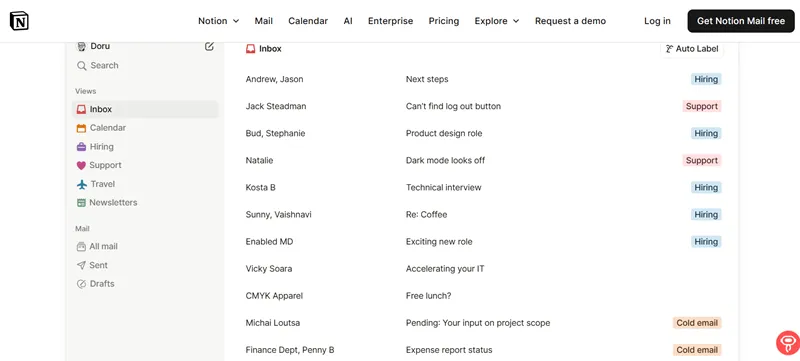
For teams that live and breathe in Notion, this is a paradigm shift. Notion Mail isn't just an email client; it's a bridge that imports your communication directly into your knowledge base. Every email can be saved as a page or database item, with key details like sender, date, and content automatically structured.
The power is in creating a single source of truth. Let's walk through the process:
You receive an email from a client with feedback on a project.
Instead of replying and archiving, you use the Notion Mail address to forward it to your "Client Feedback" database in Notion.
The email is instantly transformed into a new database entry, with the sender as a linked contact, the content as the page body, and the date logged.
You can then assign this page to a teammate, link it to the project, and start collaborating—all without leaving Notion. Your inbox is no longer a silo of information but a feeder for your team's collective brain.
This requires a fundamental shift in how you view email. It's not for casual use, but for teams committed to building a connected workspace in Notion, it's revolutionary.
Proton Scribe
Privacy-focused professionals will love Proton Scribe. With end-to-end encryption, it provides secure email assistance without compromising your data. It also offers AI-powered drafting and editing tools.
Proton Scribe pros:
End-to-end encrypted AI processing
No data mining or training on your emails
Proton Scribe cons:
AI features may be less advanced due to privacy constraints
Part of the paid Proton ecosystem
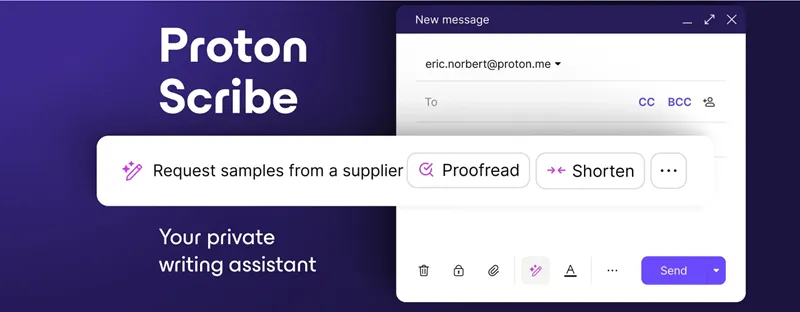
In an era of data-hungry AI, Proton Scribe stands apart. Built by the team behind Proton Mail, it applies the same rigorous, end-to-end encryption to AI assistance. This means your emails are never read by humans or used to train models; the AI works on your device or on servers where your data is unreadable to Proton.
You get helpful features without privacy trade-off. Here's how it works:
While composing a sensitive email about a business deal, you need help with the wording.
You can activate the AI draft helper, which suggests phrasing directly in your encrypted environment.
It can also summarize incoming emails for you, all while keeping the entire contents of those emails under lock and key.
The strict privacy model means the AI might not be as contextually powerful as cloud-based rivals. But for lawyers, journalists, or anyone handling sensitive data, that's a trade-off worth making for peace of mind.
MailMaestro (Called Flowrite)
MailMaestro has acquired Flowrite. Flowrite focuses on writing smarter emails. Whether you’re responding or drafting a new email, it provides automatic content suggestions, helping you compose professional messages in no time.
Flowrite pros:
Turns short prompts into full, well-written emails
Great for common email types (follow-ups, rejections, requests)
Flowrite cons:
Less useful for highly unique, creative writing
Can feel repetitive if overused
Flowrite is your email writing co-pilot. It's built for one thing: taking your bullet-point instructions and turning them into polished, ready-to-send emails in seconds. It works across your browser and email clients, making it incredibly fast for smashing through your reply queue.
It excels at repetitive but important communications. Let's see it in action:
You need to follow up on a pending invoice. Instead of staring at a blank screen, you open Flowrite.
Type a prompt like: "Follow-up on invoice #12345 from Acme Corp, polite but firm."
Flowrite instantly generates a full email, complete with subject line, greeting, body, and closing, which you can then edit and send.
It comes with a gallery of templates for everything from meeting scheduling to candidate rejections, all customizable to your voice.
It's a specialist tool. Don't expect it to brainstorm creative campaign ideas. But for pure writing speed on common tasks, it's hard to beat.
Lindy AI
Lindy AI stands out with its ability to analyze and suggest improvements to your email content, making it perfect for anyone looking to improve their email writing skills.
Lindy pros:
Analyzes and suggests improvements to your writing
Helps maintain a consistent brand voice
Lindy cons:
More of a writing coach than a automation tool
Requires a willingness to edit and learn
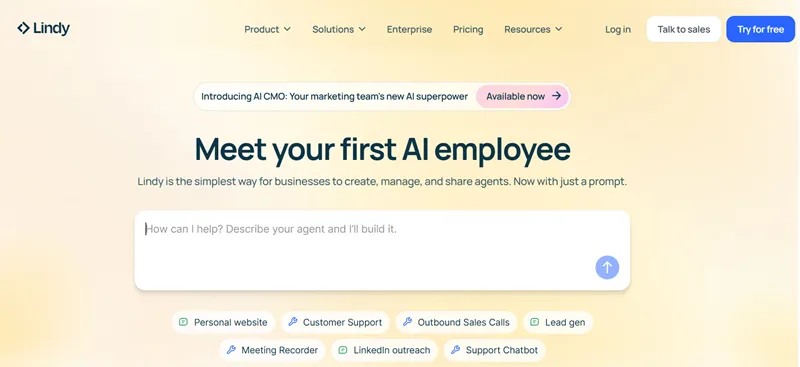
Lindy is less about doing the work for you and more about helping you do it better. It acts as a real-time writing coach, analyzing your drafts for tone, clarity, and effectiveness. It's perfect for salespeople, managers, or anyone for whom the impact of their words matters.
It gives you actionable feedback, not just a rewrite. Here's the process:
You've drafted an important announcement to your team about a project delay.
Lindy's sidebar will light up with suggestions: "This sentence could be more direct," or "The tone here might come across as defensive. Consider rephrasing."
It can also ensure consistency, flagging if you're using both "FYI" and "For your information" in the same document.
Over time, you internalize these lessons, becoming a more effective communicator. Lindy invests in your skill, not just your inbox zero status.
If you just want to blast through emails, Lindy's feedback can feel like a slowdown. But if you care about the craft of communication, it's an invaluable partner.
Missive
Missive combines AI email automation with team collaboration features. It’s ideal for teams that need to manage shared inboxes, and it includes smart email tagging, categorization, and drafting tools.
Missive pros:
Shared inboxes with real-time internal commenting
AI-powered drafting and assigning within the team context
Missive cons:
Overkill for a solo user
The collaborative workflow requires team buy-in
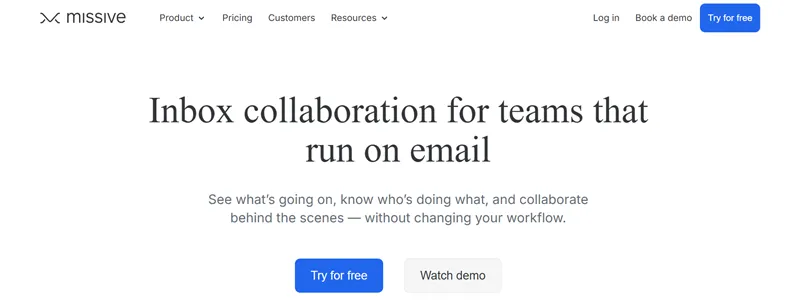
Missive rethinks email as a collaborative canvas. It combines a full-featured email client with the internal chat and task assignment of Slack. The AI features are built to enhance this teamwork, allowing you to draft replies together, assign emails with a click, and use AI to summarize a customer's entire history before you jump in.
It erases the line between email and internal chat. Here's a team scenario:
A customer writes in with a complex technical question to your support@ address.
An agent can @mention a teammate right inside the email view, asking for their input without forwarding.
Once the solution is found, you can use the AI to draft a comprehensive, accurate reply based on the internal discussion, ensuring the customer gets a unified response.
Adopting Missive means changing how your team communicates. But for support, sales, or any team that shares an inbox, the gain in clarity and efficiency is massive.
SaneBox
SaneBox uses AI to filter and organize your emails, ensuring only important messages appear in your inbox. It’s perfect for those who receive a lot of irrelevant emails and need to stay focused.
SaneBox pros:
Works with any email client (Outlook, Gmail, Apple Mail, etc.)
Learns your preferences effortlessly over time
SaneBox cons:
Doesn't help with writing or summarizing
Purely an organizational tool
SaneBox is the quiet, loyal butler for your inbox. It doesn't ask you to learn a new app; it works in the background of your existing setup. Its AI analyzes your behavior to learn what's important to you, then automatically filters less important emails into folders like "@SaneLater," leaving only the high-priority messages in your main inbox.
The setup is brilliantly simple. After connecting your email, it creates a few new folders.
Emails it deems low-priority are moved to "@SaneLater," which you can check once or twice a day.
Newsletters are automatically sorted into "@SaneNewsletters," and one-off promotional emails go to "@SaneBlackHole."
You train it by dragging and dropping mis-filed emails, and it learns quickly. It's AI organization without the friction of a new interface.
It's a one-trick pony, but it performs that trick—inbox cleaning—flawlessly. If your primary problem is noise, this is the solution.
Mailytica
Mailytica’s AI assistant analyzes customer emails and offers insights for personalized responses, making it a great choice for businesses that need to scale customer service through email.
Mailytica pros:
Analyzes customer sentiment and intent
Provides data-backed response suggestions
Mailytica cons:
Geared towards businesses, not individuals
Requires a volume of emails to be effective
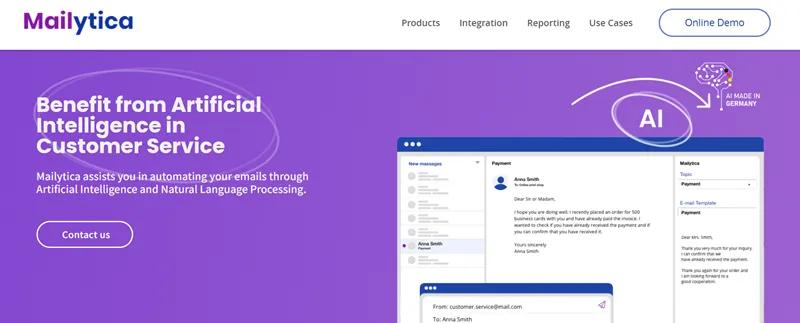
Mailytica is like your customer intelligence analyst. It goes beyond drafting replies to tell you what your customers are really saying. It analyzes incoming emails for sentiment (frustrated, happy, confused) and intent (inquiring, complaining, renewing), giving your team the context they need to provide a more personalized and effective response.
It turns qualitative feedback into quantitative data. Here’s the workflow:
Your team receives hundreds of support emails a week.
Mailytica's dashboard shows you a breakdown: 30% of emails are about "Feature X being slow," and the sentiment for those emails is predominantly "Frustrated."
When an agent opens one of these emails, Mailytica automatically suggests a pre-approved response snippet addressing the known performance issue with Feature X.
This not only speeds up replies but also helps you spot trends and recurring problems before they escalate.
Its value is directly tied to your email volume. A solo freelancer won't need it, but a growing e-commerce store or SaaS company will find it invaluable.
Emailtree
Emailtree focuses on automating routine email responses and customer inquiries, making it an excellent choice for businesses that need quick, automated solutions.
Emailtree pros:
Can fully resolve common inquiries without human intervention
Integrates with helpdesk and CRM systems
Emailtree cons:
Requires significant setup and training
The "human touch" can be lost if not carefully managed
Emailtree is the closest thing to hiring a 24/7 junior agent. It uses AI to not just suggest replies but to actually understand customer questions and send fully automated, accurate responses. For common questions like "What's my order status?" or "How do I reset my password?", it can read the email, pull the necessary data from your systems, and send a complete resolution.
The goal is to deflect tickets, not just answer them faster. Here’s the automation in action:
A customer emails asking, "Has my order #56789 shipped yet?"
Emailtree's AI parses the email, identifies the order number and the intent ("track order").
It queries your shipping database, finds the tracking number, and automatically sends a reply: "Hi [Name], your order has shipped! Here's your tracking link: [link]."
The ticket is closed without a human ever seeing it. This frees your team to handle only the complex, high-value issues.
Implementation is a project, not a plug-and-play solution. You must train it on your FAQs and connect your systems. But the ROI in saved agent hours can be enormous.
SmartWriter
SmartWriter is designed for users who want to automate and personalize their outreach emails. It integrates with CRM platforms and can help generate responses based on customer data.
SmartWriter pros:
Automates personalization at scale using online data
Generates high-reply-rate opening lines
SmartWriter cons:
Ethically gray area if used for spam
Requires clean, enriched contact data
SmartWriter is the sales development representative's secret weapon. It's built for one thing: making cold emails feel warm. It does this by scraping public data (like LinkedIn profiles, company news, and blog posts) to find unique, personal details you can reference in your outreach, moving far beyond "Hi [First Name]."
The personalization is its core engine. Here’s how a campaign is built:
You upload a list of 100 prospects from companies you'd love to work with.
SmartWriter researches each one, finding that one prospect recently wrote a blog post on "Remote Team Management," while another's company just secured a Series B funding round.
It then generates unique opening lines for each: "I loved your recent post on remote teams, especially the point about..." or "Congrats on the recent Series B! As you scale your engineering team..."
This level of personalization, done automatically, can skyrocket reply rates compared to generic blasts.
With great power comes great responsibility. Used thoughtfully, it's a powerful connector. Used carelessly, it's a sophisticated spam machine. The tool is effective; the ethics are up to the user.
Quick Comparison Table
Tool | Suitable for | Advantages | Pricing |
Fyxer | Sales teams, businesses with CRM integration | Deep CRM integration, automates workflows and data entry | Free 7-day trial available.Starter: $22.50/user/mo (annual) or $30.00/user/mo (monthly) |
Shortwave | Gmail users, those needing smarter inbox management | Sleek design, AI-powered search, email categorization | Includes a free plan and a 14-day free trial on paid plans. Business: $24/user/mo (annual) |
Microsoft Copilot Pro | Microsoft 365 users | Deep integration with Microsoft tools, smart categorization and predictive replies | $20/user/month (requires Microsoft 365) |
Gemini for Gmail | Gmail users | Built into Gmail, AI-powered summaries and draft assistance | Personal: Google AI Premium (includes Gemini Advanced) is $19.99/mo (first month free, includes 2TB storage). |
Apple Mail with Apple Intelligence | Apple device users | Seamless integration, on-device processing for privacy | No separate pricing. |
Superhuman | Power users, productivity enthusiasts | Fast, keyboard-driven interface, optimized workflow | Starter: $25/user/mo (annual) or $30/user/mo (monthly) |
Notion Mail | Teams using Notion as their central hub | Direct email integration with Notion, saves emails as structured data | The cost is tied to your main Notion workspace plan, as it is an integrated feature. |
Proton Scribe | Privacy-conscious professionals (lawyers, journalists) | End-to-end encryption, no data mining, privacy-first approach | Proton Business customers can add it for $2.99/user/mo. |
MailMaestro (Called Flowrite) | Professionals needing quick email drafts | Transforms short prompts into full emails, great for repetitive tasks | From $5/user/month |
Lindy AI | Professionals focused on writing skills | Provides feedback on tone, clarity, and writing consistency | Free: 400 credits/mo |
Missive | Teams managing shared inboxes | Real-time collaboration, AI drafting and assignment | From $18/user/month.30-day free trial offered. |
SaneBox | Users overwhelmed with email clutter | Filters emails based on importance, works with any email client | between $7/mo and $36/mo for various tiers. |
Mailytica | Businesses with high email volume | Analyzes sentiment and intent, offers personalized response suggestions | Custom pricing based on email volume |
Emailtree | Businesses needing automated customer service | Resolves common inquiries automatically, integrates with helpdesk and CRM systems | Basic Plan: $29/mo |
SmartWriter | Sales teams needing personalized outreach | Automates personalized email content at scale, increases reply rates | From $49/month for limited credits.Pricing is based on lead generation capacity (credits). |
Future Trends in AI Email Automation
As technology progresses, AI will further enhance email management, making it smarter and more efficient. The next generation of email assistants will do more than optimize daily workflows—they will enable even more personalized and automated communication. So, how these trends are set to reshape the future of email management?
Deep integration with enterprise ecosystems
AI email assistants will integrate even more seamlessly with enterprise tools such as CRM systems, project management platforms, and analytics dashboards. For example, an AI assistant could pull data from a CRM to draft personalized responses or update customer records based on email interactions, significantly reducing manual data entry and improving productivity.
Smarter personalization
AI will go beyond basic personalization (e.g., inserting the recipient's name) and incorporate contextual awareness. AI will be able to adjust the tone of responses (e.g., formal, casual, or empathetic) and provide more relevant and timely content based on previous interactions, social media activity, and even real-time data.

Automated workflow creation and management
AI will automatically generate workflows based on email content and interactions. For instance, an AI could identify a sales opportunity and automatically initiate a series of follow-up tasks, or a customer service request could trigger a resolution path that involves the right team members.
Integration of voice and email communication
With the rise of voice assistants like Siri, Alexa, and Google Assistant, we will see more integration between voice interfaces and email. AI will allow users to dictate emails, manage inboxes, and schedule tasks entirely by voice.
AI email automation
AI tools will evolve to better understand customer sentiment and preferences through machine learning models, allowing businesses to automate more nuanced customer support and marketing responses.
Cross-platform AI email assistants
As users become more mobile and diverse in their digital ecosystems, AI email assistants will extend across multiple platforms—email, messaging apps, social media, and even internal collaboration tools like Slack or Teams. Expect AI email assistants that work across all these platforms, allowing users to manage communications and tasks seamlessly. For example, an email from a client in Gmail could trigger an alert in a project management tool like Asana, prompting the team to act on it immediately.
Simplify Email with Automa
We believe you'll soon experience the thrill of clearing your inbox quickly with AI assistance. While there are now lots of AI email assistants available, each one has its strengths and limitations, so you might not find one that fully meets all your needs. If you want to stop dealing with emails, Automa's AI-powered software can help. Our smart automation system is designed to make your email management easier, so you can focus on what's really important. Here's how to create your own AI email agent with Automa:
Use Automa AI to automatically detect the true intent behind every email—like refund requests, sales inquiries, or support tickets—and route them instantly to the right team or system.
Leverage Automa's AI agents to evaluate email sentiment and business impact, automatically prioritizing your inbox to ensure high-risk situations are flagged and addressed first.
Build custom AI filtering workflows with Automa to intelligently assess the relevance of each message, automatically archiving or filtering out distracting non-work emails to maintain focus.
Use AI to automatically translate incoming foreign-language emails and draft context-aware replies in the original language, seamlessly bridging the communication gap.
Example: Gmail AI Auto-Responder with Automa
Using Automa AI Agent, set up a workflow that automatically generates reply content within Gmail.
Step 1: Collect emails. Use Automa's "Retrieve Email" command to gather email content.
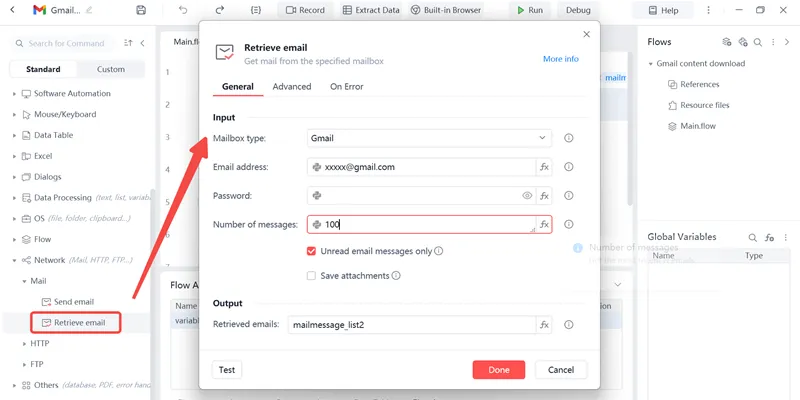
Step 2: Content evaluation. Analyze each email's content via the GPT-5 model and determine whether a reply is needed.
Step 3: Reply generation. Generate email reply content using the GPT-5 model.
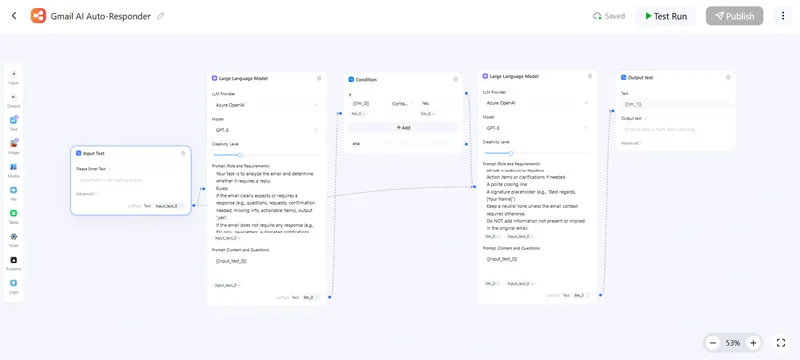
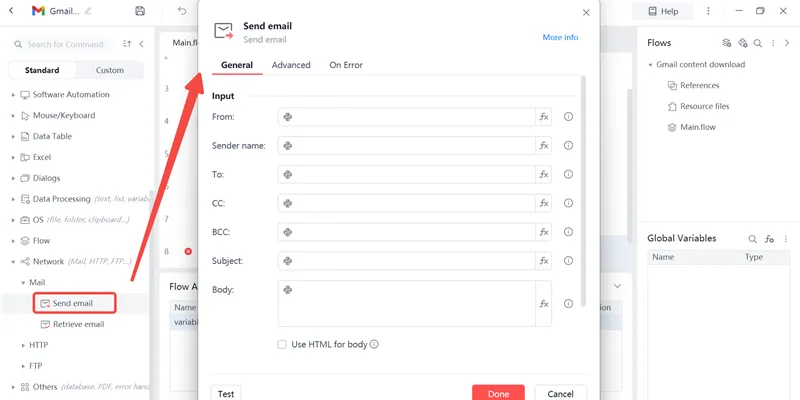
Step 4: Save content and send reply. Save the generated content as a .txt file, then use Automa's “Send Email” command to send the reply to the user.
Conclusion
AI email assistants have come a long way, offering advanced automation features that can save you time, increase productivity, and help you stay organized. From smart replies to deep email categorization and integration with other productivity tools. By 2026, AI-powered email assistants, like Automa AI automation, have evolved into indispensable productivity tools for businesses and individuals alike. These assistants go beyond simple sorting and replying, leveraging advanced automation and artificial intelligence to streamline communication processes.
FAQs
Why choose Automa AI automation for your AI email automation?
As the email assistant market grows, Automa RPA software stands out for its customizability and robust integrations. Whether you’re a small business owner, a freelancer, or part of a large enterprise, Automa automation software saves hours per week by automating repetitive tasks and optimizing your email workflow. It’s not just about managing your inbox; it’s about enhancing productivity, improving response times, and keeping your communication processes organized and efficient.
Can I trust AI email assistants to keep my contact information safe?
Unless the privacy policy says otherwise, AI email assistants won't share your contact information.
Can I use Automa with Gmail or Outlook?
Yes! Many Automa AI agents work perfectly with Gmail, Outlook and other popular platforms.
Can an AI email assistant sort emails into categories like "Promotions," "Social," and "Updates"?
Absolutely! Many tools automatically sort your emails into folders to keep your inbox organised.
How do AI email assistants help you save time?
AI assistants can do routine tasks like replying to emails, sorting emails and summarising emails.
What is AI in Email Marketing?
AI in email marketing uses artificial intelligence to automate, personalize, and optimize email campaigns, improving targeting and engagement by analyzing customer data and behavior.
How is AI Different from Traditional Email Marketing?
AI personalizes emails in real time, automates tasks, and predicts customer behavior, whereas traditional methods rely on broad segmentation and manual campaign management.
Main AI Features in Email Marketing Tools?
AI features include personalized content, segmentation, predictive analytics, send time optimization, subject line testing, automated workflows, and dynamic content delivery.
Is AI Email Marketing Only for Large Companies?
No, AI email marketing is accessible to businesses of all sizes, with scalable tools that help small businesses automate tasks and optimize campaigns efficiently.