Instagram Explore is where you discover new creators, viral content, and trending topics. If you’re doing marketing, competitor research, content planning, or just want to understand what your audience is engaging with, scraping the Explore page can be valuable.
But how do you turn all those posts, reels, captions, and hashtags into structured data in Excel without touching code?
In this guide, you’ll learn how to scrape Instagram Explore page data, including posts, captions, hashtags, likes, comments count, and more, using a no-code Instagram scraper. You don’t need the Instagram API, Python, or any technical setup. Everything can be done in a few minutes, for free, with a visual Instagram Explore page scraper that anyone can use.
Why scrape Instagram Explore page?
Instagram’s Explore page is one of the most powerful discovery engines in social media. It constantly surfaces what people are engaging with right now: creators, trends, formats, and themes tailored to specific interests. That makes the Explore page a prime source of live, unfiltered market signals. Scraping Instagram Explore data unlocks multiple data-driven opportunities, including:
Discover emerging content trends
The Explore page is where new trends break out before they go fully mainstream. Posts, Reels, and Stories that appear there often share clues about:
Which topics are gaining momentum
What visual styles are getting the most engagement
Which formats (Reels, carousels, single images) are prioritized
Which sounds, hashtags, or effects are spreading fast
Instead of casually scrolling and relying on intuition, an Instagram Explore scraper lets you aggregate thousands of posts across time. You can uncover patterns such as:
A sudden spike in short-form “before/after” Reels in the fitness niche
Consistent performance of text-over-video content in the productivity space
Growing use of certain filters or sounds in beauty and skincare
This helps you focus on the formats, angles, and creative patterns that the algorithm is actively rewarding, rather than guessing what might work.

Validate content ideas and campaigns
Creating content at scale without validation wastes time and budget. Scraping the Explore page gives you live proof of what resonates before you invest in full campaigns. You can:
See which hooks and captions consistently drive engagement
Identify creative concepts that overperform for your niche
Measure how often certain themes appear in top-performing posts
Imagine you are planning a new Instagram campaign for a home decor brand. By scraping Explore results around interior design topics, you might find that:
Highly saved posts focus on small-space hacks and storage
Neutral, minimalist colors dominate top-performing living room posts
Before-and-after transformations dramatically outperform product-only shots
Now your campaign ideas are anchored in real engagement data: more transformations, more small-space tips, more save-worthy visuals. Your decisions are informed by what audiences are actually interacting with, not just internal brainstorming.
Competitive and niche intelligence
Instagram Explore functions as an evolving leaderboard for attention. Every time a competitor or niche creator appears there, it signals that their content is hitting the right metrics. By systematically extracting Explore page data:
You see which competitors are consistently getting discovery
You understand what angles and narratives they lean on
You spot micro-creators gaining traction in your category
For example, in the fitness coaching niche, Explore data might reveal:
Coach A dominates with quick “myth vs fact” Reels
Coach B wins with in-depth carousels breaking down form and technique
Coach C grows fast with lifestyle-focused storytelling and client journeys
With this visibility, you can position your own content strategy: educational deep dives, quick-hit tips, transformation storytelling, or a hybrid. Your choices are calibrated against what the platform is already elevating to wider audiences.
Refine and optimize your own content strategy
Scraping only other people’s content is incomplete. Your own presence on Explore is a key indicator of how well you align with the algorithm and user interests. With an Instagram Explore scraper, you can:
Track how frequently your posts appear for specific topics or hashtags
Monitor which of your formats and themes are most likely to be pushed into discovery
See how changes in style, posting time, or hooks affect visibility
Instead of relying on occasional viral hits, you can:
Benchmark your posts against other Explore content in your niche
Tag posts by theme (tutorial, entertainment, behind the scenes, testimonial)
Quantify which content pillars are actually breaking into discovery
This turns content creation into a feedback loop. You are not just posting and hoping. You are testing, measuring, and iterating based on the same discovery signals Instagram uses to decide what gets seen.
What data can you scrape from Instagram Explore?
You can scrape a surprising amount of useful data from Instagram Explore. Here are some practical examples:
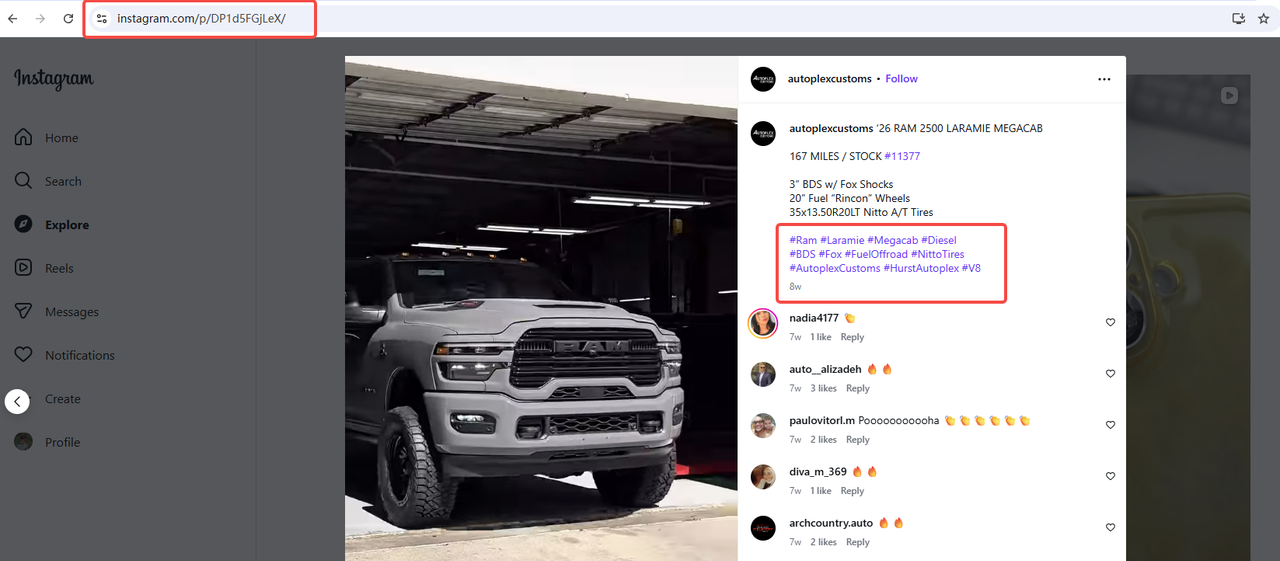
Post Content
Image and video URLs: Download media from Explore posts for analysis or monitoring
Captions: Extract text to study trends, keywords, or sentiment
Hashtags: Identify which hashtags drive visibility in your niche
Mentions: See which users or brands are most frequently tagged
Timestamps: Track when content is posted to understand timing patterns
Engagement Signals
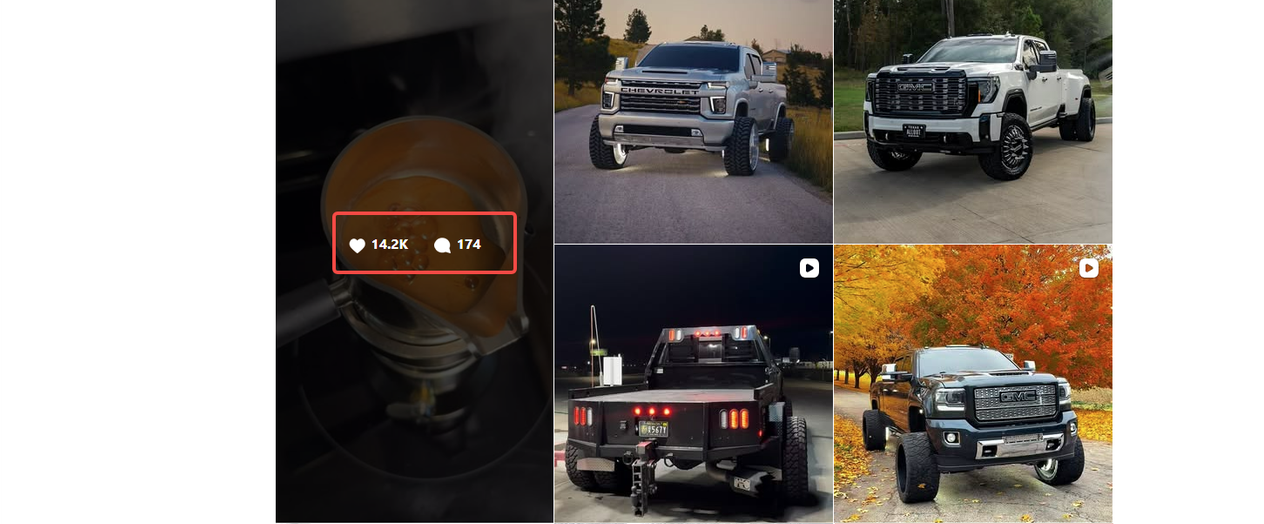
Like counts: Measure how well certain content types perform
Comment counts: Spot highly engaging posts worth deeper analysis
View counts (for videos/Reels): Compare performance across formats
Save and share indicators (where visible): Gauge real engagement vs. vanity metrics
Account and Creator Data
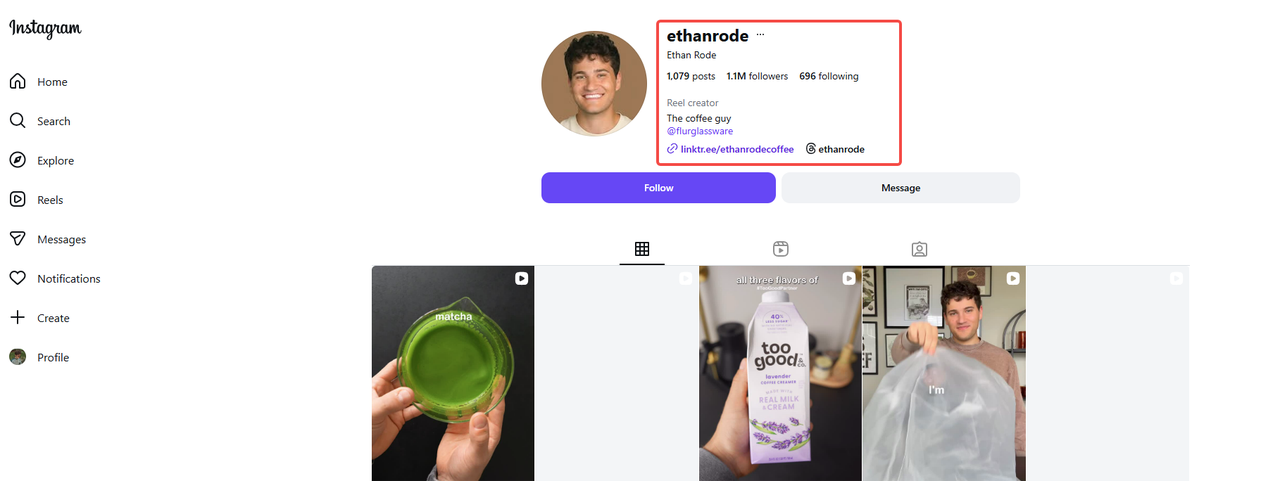
Username and display name: Identify creators behind trending content
Bio snippet (if accessible from Explore): Understand how top accounts position themselves
Follower metrics (if available): Benchmark creator size and reach
Profile category (e.g., Creator, Business): Segment different types of accounts
Topical and Discovery
Suggested posts by topic: See what Instagram is boosting for certain interests
Related hashtags: Discover new tags connected to your target niche
Content types: Distinguish between Reels, photos, carousels, and videos
Location tags: Understand where popular content is being created or tagged
All of this data can be used to map out what’s trending in your industry, reverse-engineer what performs well on Explore, and inform content strategy, competitor analysis, or research workflows.
Who uses this data?
Anyone trying to understand what content Instagram is amplifying to new audiences can benefit from structured data pulled from Explore.
Social media marketers: to see which formats, topics, and hooks are being pushed into Explore, and replicate winning patterns.
Influencers and creators: to track trending audio, effects, and post styles that consistently hit Explore.
Brands and agencies: to benchmark their own Discoverability against competitors and find new content angles or collaborations.
Content strategists: to map out themes, hashtags, and visual styles that are overperforming in Explore for specific niches.
Growth and product teams: to test creative variants, and measure the impact of experiments on Explore visibility.
Market and trend researchers: to identify emerging trends, aesthetics, and cultural signals before they hit the mainstream feed.
How to scrape Instagram Explore page with Automa? (No-code way)
If you’re doing market research, competitor analysis, or content strategy, you might be wondering: how can you scrape data from the Instagram Explore page in a simple, no-code way? How to collect post links, captions, likes, and more without writing a single line of code. With Automa RPA, you can set up a custom flow to open the Explore page, scroll for fresh posts, and extract the data you need in just a few steps.
Prerequisites
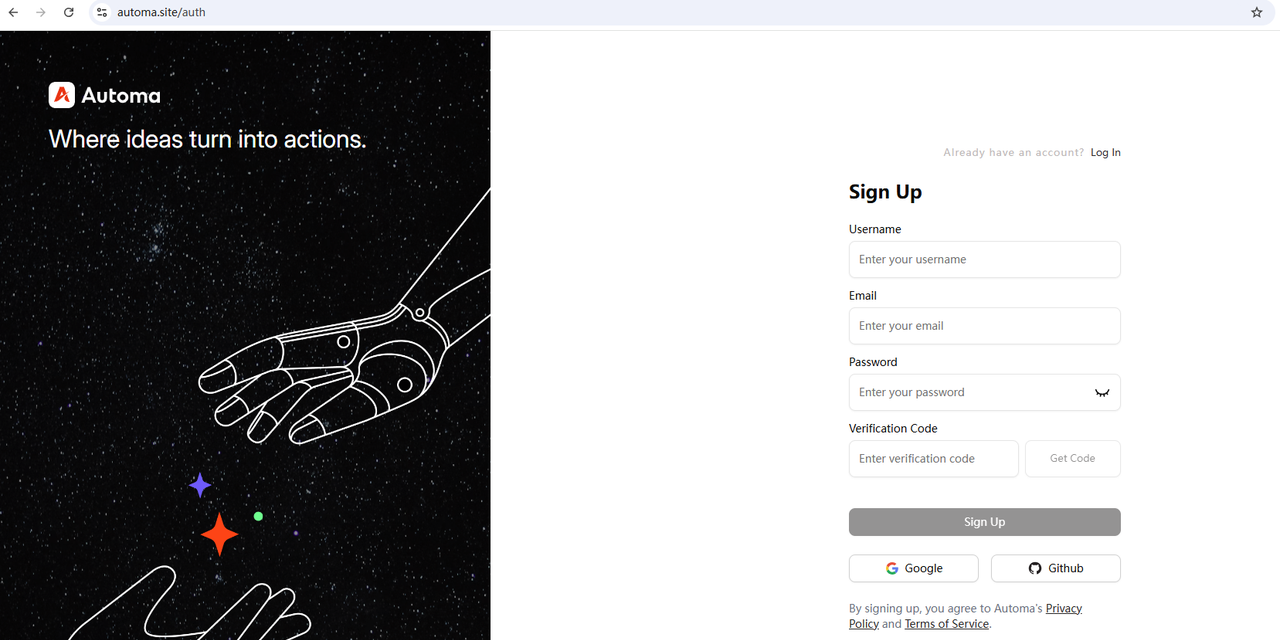
Sign up for an Automa account
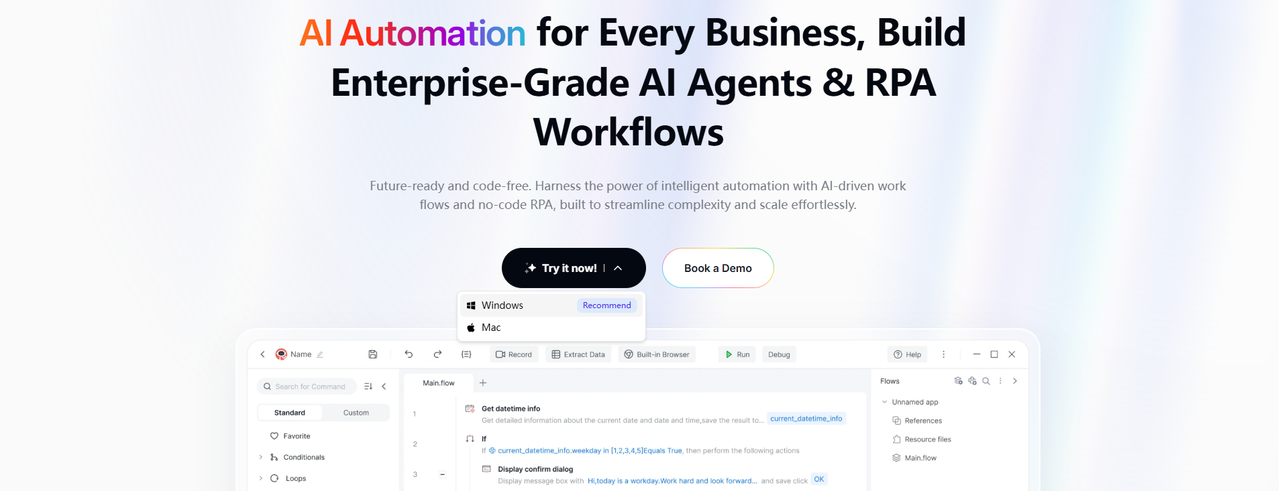
Download the Automa desktop app to your computer
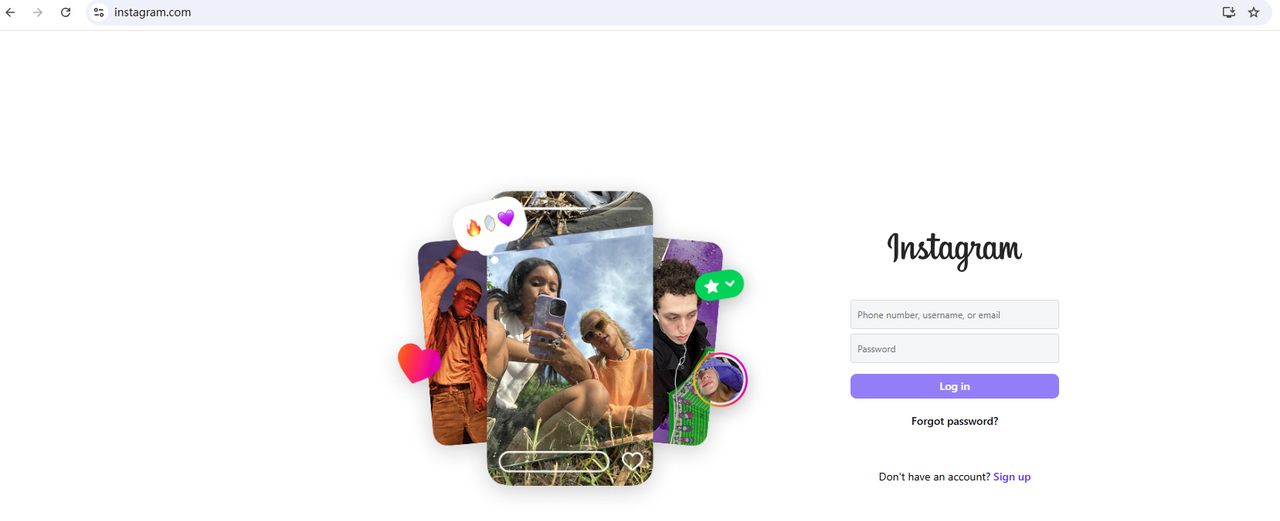
Log in to your Instagram account on your browser
Step 1: Get the Instagram Explore Page Scraping Tool
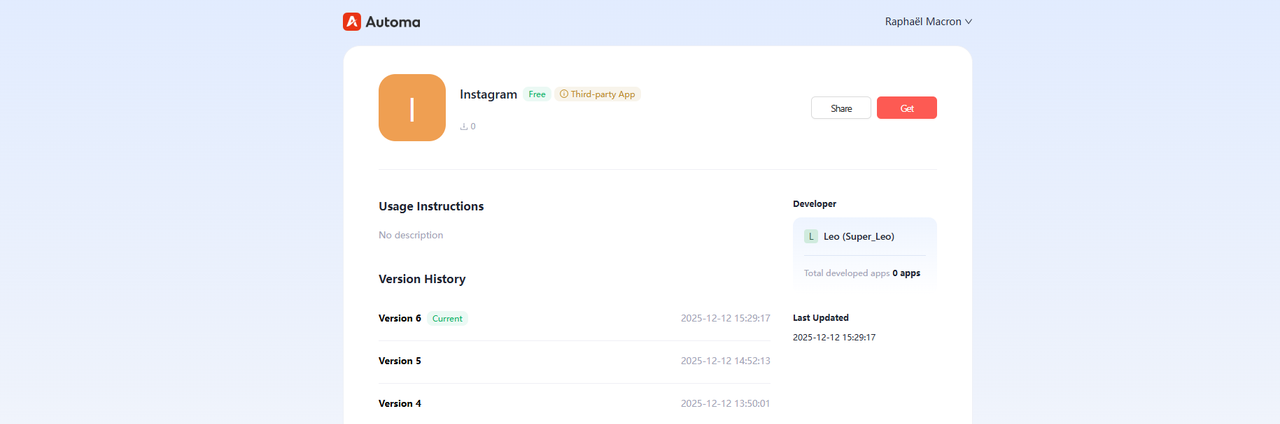
First, log in to your Automa account from the top-right corner of the website. Then click the “Get” button to save the tool to your Automa desktop app.
Step 2: Install the Google Chrome Automation Plug-in
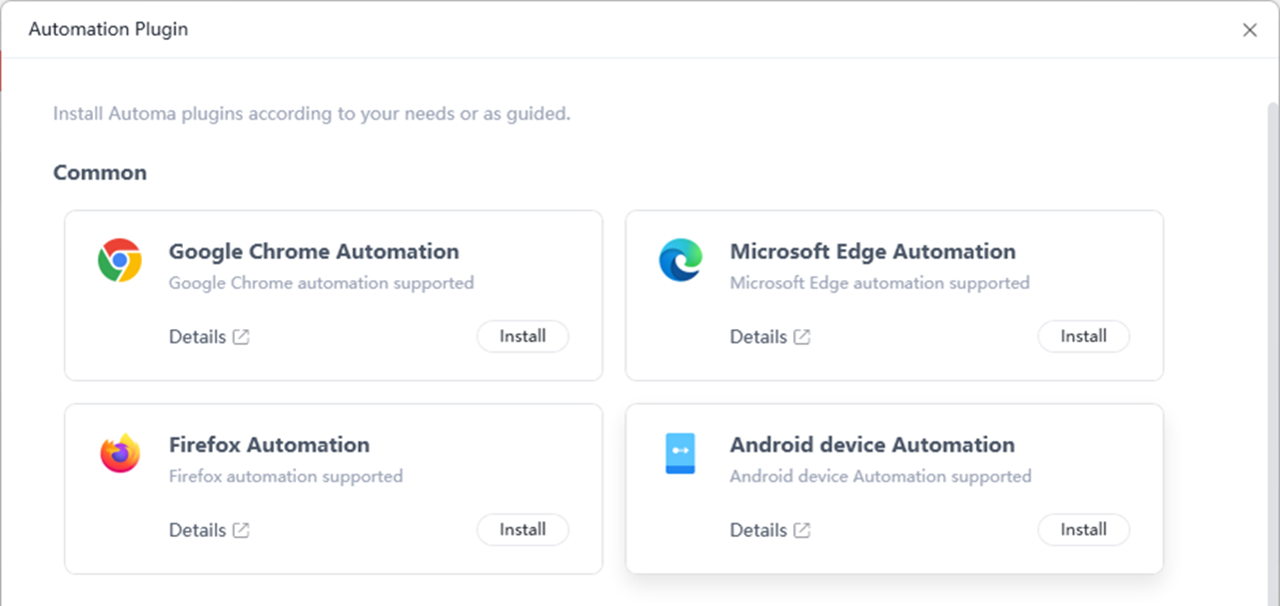
Sign in to the Automa desktop app using the same account you used to get the Instagram Explore Page Scraping Tool. After logging in, hover over your profile icon, go to “Tools,” and click “Automation Plug-ins.”
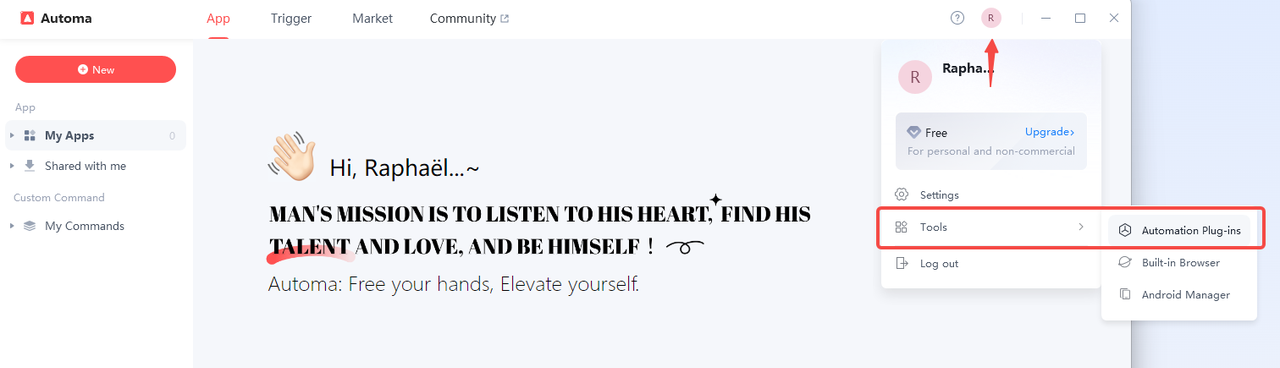
A browser automation plug-in installation window will appear. Google Chrome is recommended. Click “Install” to complete the installation.
Step 3: Run the Instagram Explore Page Scraping Tool
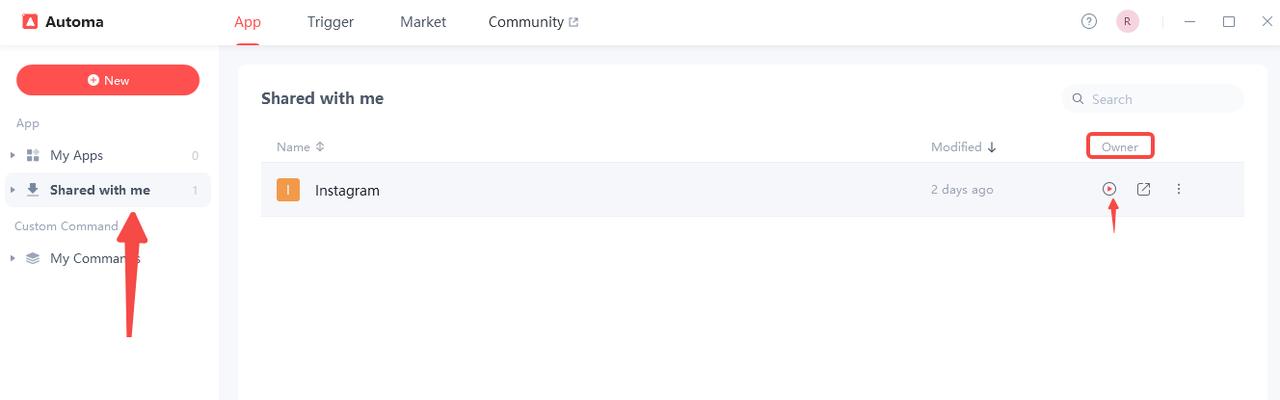
You can run this Instagram scraper in just two steps. Click “Shared with me,” and you’ll see the Instagram scraping tool you just saved. In the “Owner” column, hover your mouse over the field and a play button will appear. Click the play button to start the scraper.
Step 4: Enter the Number of Posts to Scrape
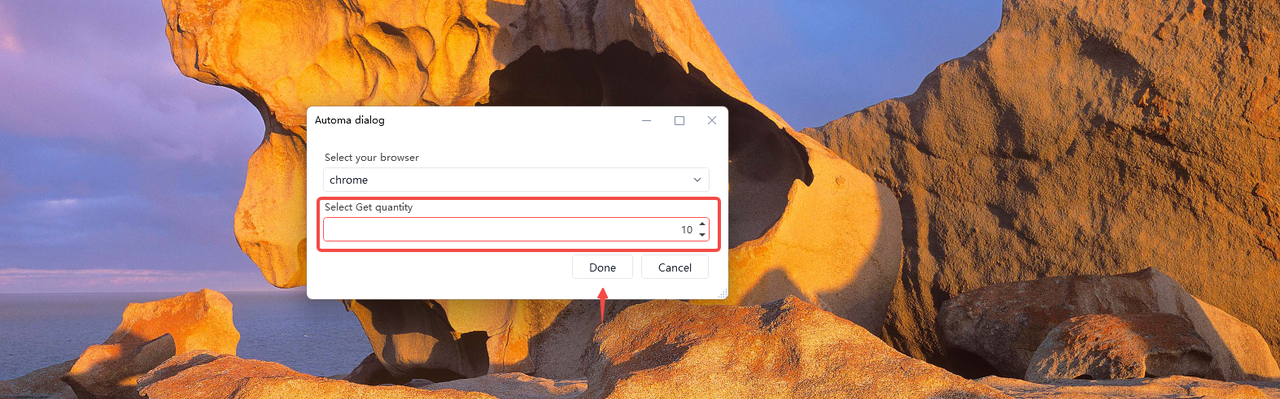
In this example, we’ll scrape 10 posts. The current maximum limit is 1,000 posts. After entering the number, simply click “Done” and the program will run automatically.
Note: Before running the tool, make sure you are logged in to your Instagram account.
Step 5: Check the Results
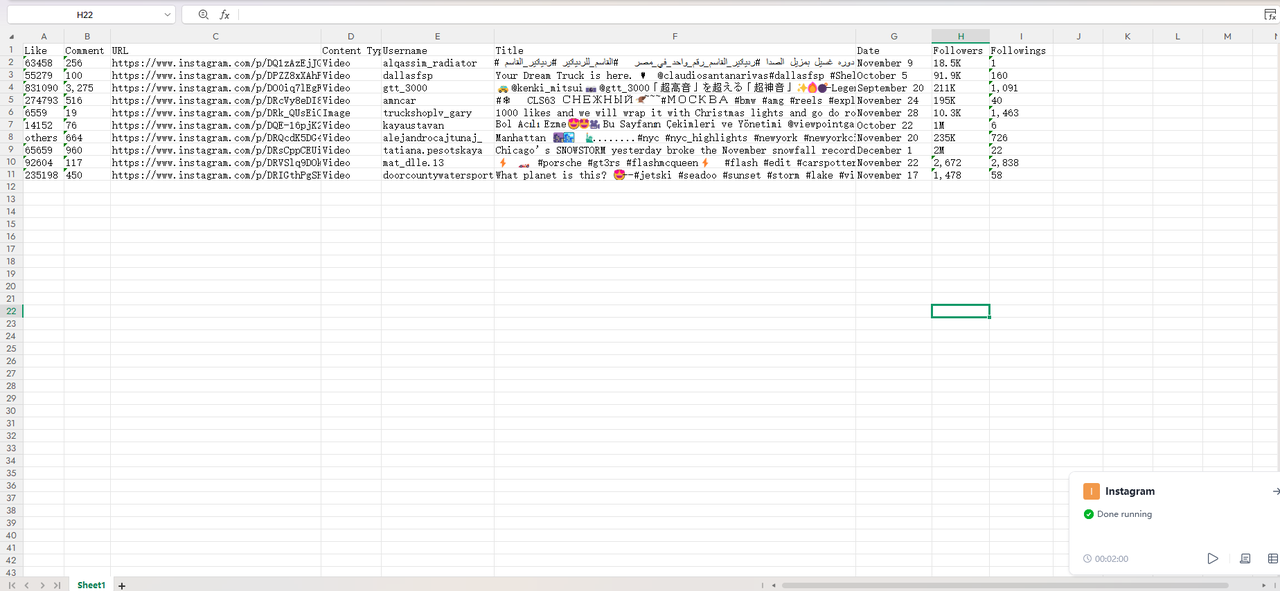
The data scraping was completed in about the time it takes to grab a glass of water. This Instagram scraper collects the top 10 posts from the Explore page, including likes, comments, URLs, content type, username, title, date, user followers, and user followings.
All results are saved directly to your desktop as an Excel file named “Automa_Instagram.”
No-code vs code-based web scraping
Feature | No-Code Web Scraping | Code-Based Web Scraping |
Technical Barrier | Extremely Low/None (Accessible to non-technical users) | High (Requires programming knowledge, e.g., Python/JavaScript) |
Tools Used | Visual tools, browser extensions, SaaS platforms (e.g., Automay) | Programming language libraries/frameworks (e.g., Python's Scrapy) |
Flexibility | Low (Limited by the tool's built-in features. Difficult for complex or tricky websites) | Extremely High (Complete control over logic, data handling, and anti-scraping strategies) |
Initial Setup Time | Fast (Plug-and-play or setting up with a click-based interface) | Slow (Requires writing and debugging code, and environment configuration) |
Maintenance Difficulty | Moderate (May need to reconfigure or "retrain" the tool when the website structure changes) | High (Requires manual code changes to adapt to website alterations. High upkeep cost) |
Scalability | Limited (Dependent on the platform's provided cloud resources and pricing structure) | High (Code can be optimized for efficient, distributed, or massive-scale scraping) |
Cost Model | Subscription or Usage-Based (Low initial cost) | High Initial Investment, Low Running Cost (Mainly developer time, plus server/proxy costs) |
Best Used For | Simple to moderately complex websites. One-off or small-scale periodic data collection. Non-technical project validation. | Highly customized scraping tasks. Large-scale, high-frequency data extraction. Complex dynamic and strongly anti-scraping websites. |
Common Issues of scraping Instagram
Scraping Instagram is widely considered one of the most difficult web scraping challenges in 2025 due to Meta’s aggressive anti-bot technology. Here are the most common issues you will encounter:
The "Challenge Required" Loop
This is the most notorious issue. Your scraper logs in successfully, but Instagram serves a checkpoint_challenge URL demanding SMS/Email verification. Even after verifying, the scraper often gets stuck in a loop, asking for verification again on the next request.
Dynamic CSS Classes
Instagram frequently randomizes the HTML class names (e.g., changing a class from aagv to ab8w). If your scraper relies on specific class names (CSS Selectors) to find data, it will break every time Instagram updates the site code.
Infinite Scroll & Pagination Limits
The "Explore" lists use infinite scrolling. Instagram often stops loading new items after a certain depth (e.g., around 1,000–2,000 followers) for API/scraping requests, making it nearly impossible to scrape a full follower list for large accounts.
Aggressive Rate Limiting
Instagram has a very low tolerance for rapid requests. If you exceed roughly 200 requests per hour or even fewer on a fresh account, you will hit a 429 Too Many Requests error.
IP Burning
Standard datacenter proxies are flagged instantly. If you do not use high-quality Residential Proxies (IPs from real home internet connections), your requests will be blocked before they even reach the login screen.
TLS Fingerprinting
Instagram doesn't just check what you send, but how you send it. Standard Python libraries, like requests or BeautifulSoup, have a specific "handshake" signature that differs from a real Chrome browser. Instagram detects this and blocks the connection immediately.
Shadowbanning/Ghosting
Sometimes, Instagram won't ban the scraper outright. Instead, it will serve "ghost data"—telling your scraper an account has 0 followers or no posts, even when the account is active.
Final Thoughts
Now, you should have a clear picture of how to scrape Instagram Explore using a no-code method. This is the best approach for your goals, technical skills and the size of the data you need. If you want to avoid complicated setups and get clean data quickly, a no-code tool like Automa is usually the best option. It helps you save time, reduce manual work, and make your whole data collection process more efficient.
FAQs
Is it legal to scrape Instagram Explore page data?
In most cases, scraping publicly available content on Instagram Explore is not clearly illegal by itself, as you are only accessing information that anyone can see. However, you must respect Instagram’s Terms of Use, Platform Policy, and any applicable data protection and copyright laws. How you store, share, and use the scraped data is your own responsibility, and you should always check your local legal requirements and recent case law around web scraping.
If you are unsure about the legal or compliance risks, consider using Meta’s official APIs instead of direct scraping. The Instagram Graph API and related tools provide structured access to certain types of Instagram data for approved use cases. By using the official API, you can reduce the risk of violating platform rules while still getting the data you need for analysis or application development.
Can I scrape the Instagram Explore page with Automa without coding skills?
Yes, you can scrape the Instagram Explore page using Automa without traditional coding skills. Automa is specifically designed as a "No-Code" or "Low-Code" AI automation tool, meaning it relies on visual drag-and-drop building blocks rather than Python or JavaScript code.
Will scraping Instagram get my account banned?
Scraping Instagram is very risky. It can lead to your account being suspended, restricted, or even permanently banned. This is because it breaks Meta's rules about collecting data without permission. The platform detects when a person isn't using it properly. It quickly identifies and blocks IP addresses of those who make lots of quick requests. If a person keeps doing this, their account will be closed. To avoid this risk, it's important to use the official Instagram Graph API whenever you can. If you need to scrape data, only target publicly available data and stick to human-like rate limits.
What is the best free IG scraper for the Explore page?
Automa. Everyone's experience with tools is different. The word "best" can mean different things to different people. So I can't say for sure that any of the tools out there are the absolute best free Instagram scraping tool. In my experience, most dedicated scraping APIs only offer a limited free trial or a small number of free requests before going to a paywall. Automa, however, offers a free version that is suitable for personal use. Automa is a tool that lets you do automation without having to write code. It automatically collects data by imitating a human web browser user, which means it can easily handle the Explore page's dynamic JavaScript content. This approach is easy to use and gets around a lot of anti-bot measures, like random delays and natural scrolling. This makes it a very good and free option.