Your teams should be focused on what really moves the business forward — supporting customers, resolving issues quickly, and creating meaningful experiences — but too often they’re bogged down by the constant pressure of an overflowing inbox. Consider support teams: On a typical day, they spend only a fraction of their time addressing high-value conversations. So where does the rest go? Sorting emails, tagging messages, rewriting similar replies, and forwarding questions to the right people — all necessary tasks, but undeniably repetitive and time-consuming.
The good news is email automation can take that weight off their shoulders. When your email system includes automations, you can streamline manual steps in many cases completely remove, helping support, operations, and marketing teams respond faster and work smarter. Layer artificial intelligence (AI) on top, and you unlock an even more powerful way to classify messages, personalize responses, and accelerate turnaround times. Let’s explore how email automation can transform your team’s workflow and elevate your customer experience.
At the end of this article, I'll recommend an AI automation tool called Automa, which perfectly combines automation and AI capabilities. I'll also give you a full guide on how to use this software to automate email processes.
What is email automation?
Email automation is the use of technology and automation tools to streamline and optimize repetitive tasks within email marketing and customer communication workflows.
By automating processes such as welcome series, lead nurturing drips, transactional triggers, behavioral follow-ups, cart-abandonment reminders and re-engagement campaigns, businesses can deliver timely, relevant messages at scale, improve engagement and free up time for teams to focus on strategy and creative work.
Email automation allows companies to efficiently manage subscriber data, segmentation and lifecycle communications while reducing the manual workload for marketing, sales and customer support teams. This results in more consistent messaging, better personalization, higher deliverability and conversion rates and stronger customer retention.
In recent years, email automation has undergone significant advancements. Modern platforms leverage artificial intelligence (AI) for subject line and send-time optimization, predictive segmentation and dynamic content recommendations. Many tools now operate as all-in-one marketing hubs that connect email with SMS, push and in-app messaging in a user-friendly way. Cloud-based solutions improve real-time data syncing and mobile accessibility, while improvements in generative AI and event-driven architectures enable deeper personalization, faster decision-making and more adaptive, compliant campaigns.
Manual vs. Bulk vs. Automated Email
Manual email
Manual email sends offer the highest degree of control and nuance. You can tailor every line, adjust tone on the fly, and address unique edge cases.
Yet this precision comes with hidden costs: more steps, more room for typos or missed attachments, and more time spent copying recipients, managing threads, and reconciling replies across inboxes.

Bulk email
Bulk email sits in the middle by allowing you to broadcast a single message to many recipients at once. It removes some intermediate steps and speeds delivery, but it sacrifices personalization and granular relevance. Engagement can suffer when everyone receives the same content.
Automated email
Automated email shifts the focus from one-off tasks to repeatable, event-driven workflows that execute with 24/7 reliability. Instead of passing drafts up and down a virtual chain-of-command, teams build templates, define triggers (welcome, onboarding, trial-to-paid, cart abandonment, renewal), and let the system orchestrate sends with consistent quality.
Feature | Manual Email | Bulk Email | Automated Email |
|---|---|---|---|
Audience Scale | One-to-One | One-to-Many | One-to-One (at scale) |
Personalization | Very High | Low to Moderate | Very High |
Timing | On-demand, ad-hoc | Scheduled by sender | Triggered by user action |
Scalability | None | High | Very High |
Human Effort | High per email | Medium per campaign | Low (after setup) |
Tools | Gmail, Outlook | Mailchimp, SendGrid, ConvertKit | HubSpot, ActiveCampaign, Drip |
Example | Customer service reply | Weekly newsletter | Abandoned cart email |
Benefits of email automation
What makes automated emails so important? Invesp study shows that after implementing email automation, 80% of users saw an increase in leads, and 77% achieved a boost in conversions. There is no doubt that your brand can benefit from the many advantages of automated email: it can engage customers in real time, improve open and conversion rates, and ultimately drive sales growth. Here are the top ways email automation can improve your business.
Increase efficiency and productivity
Email automation makes your teams more effective and productive, freeing them up to focus on more high‑value work.
For marketing teams
Streamline lifecycle campaigns. Keep nurture, onboarding, and win‑back programs running continuously and on time by using automation to trigger emails based on behavior, milestones, and purchase events.
Automate A/B testing. Test subject lines, send times, CTAs, layouts, and offers automatically. Let your marketing AI analyze performance, then roll out winning variants to maximize engagement and conversions.
Personalize at scale. Use data on browsing behavior, purchase history, and preferences to dynamically assemble content, product recommendations, and promotions for each recipient — without manual effort.
Optimize send timing and frequency. Automatically choose the best send time for each contact, throttle cadence to avoid fatigue, and pause sends when engagement drops to protect deliverability.
Nurture and re‑engage leads. Build drip sequences that adapt to recipient actions (opens, clicks, site visits) and move prospects through the funnel with the right message at the right moment.
For sales teams
Automate follow‑ups. Trigger personalized outreach after form fills, demos, meetings, or pricing requests so reps never miss a touchpoint — and prospects get timely responses.
Create and manage contacts. Auto‑capture replies, meeting bookings, and hand‑raises from email into your CRM. Flag high‑priority threads, competitor mentions, or intent signals to alert sellers.
Monitor and prioritize leads. Use engagement signals (opens, clicks, replies, web activity) to highlight the leads most likely to convert and recommend next‑best actions based on what’s worked before.
Accelerate deals and improve decision‑making. Deliver proposals, case studies, and tailored bundles via triggered emails, and use AI insights to adjust messaging and offers as market conditions change.
For customer service teams
Resolve routine requests. Auto‑responders and AI‑powered email assistants can handle common questions, password resets, delivery updates, and return instructions so agents can focus on complex cases.
Resolve cases with a single agent. Automatically route incoming emails to the best‑suited agent, suggest replies and knowledge articles, and interpret free‑text requests without rigid rules.
Improve customer interactions. Generate helpful responses, answer product questions, create and share knowledge content, and summarize resolutions after a case closes with AI‑driven email automation.
Shorter sales cycles
Email automation reduces manual busywork and shortens time between touches. Predictive and generative AI help research accounts, score leads based on engagement, and draft high‑quality emails and follow‑ups. Marketing and sales teams spend more time building relationships and closing deals — not chasing inboxes and calendars.
Improve customer experience and engagement
Timely, relevant emails — from transactional updates to personalized offers — raise satisfaction and keep customers informed. Automated responses and proactive notifications handle simple needs quickly, freeing agents to tackle more complex issues and deepen relationships. Customers still want a human on the other end, and email automation creates the space for your teams to be present when it matters.
Connect your inbox to your workflow
Integrate email with your CRM, help desk, calendar, and project tools. Automatically log conversations to the right account, route messages to the correct owner, create tasks from replies, and trigger handoffs when deals progress or tickets escalate—keeping every touchpoint aligned.

Uncover hidden insights and trends
Use analytics and AI to reveal what you can’t see in a crowded inbox: best send times, subject lines that drive opens, content that wins replies, segments that are disengaging, and journeys that leak. Spot sentiment shifts, identify at‑risk accounts, and discover patterns that improve performance.
Increased revenue & conversions
Trigger emails for abandoned carts, trial expirations, replenishment, cross‑sell, and win‑back offers. Nurture leads with scoring‑based sequences and automate quote and demo follow‑ups. The result: more pipeline velocity, higher conversion rates, and better ROI from every campaign.
Keeps your brand top-of-mind
Maintain a consistent cadence across newsletters, lifecycle milestones, seasonal content, and community updates. Automated, value‑rich touchpoints keep your audience engaged between purchases and ensure your brand stays relevant, trusted, and remembered.
5 Popular email automation examples
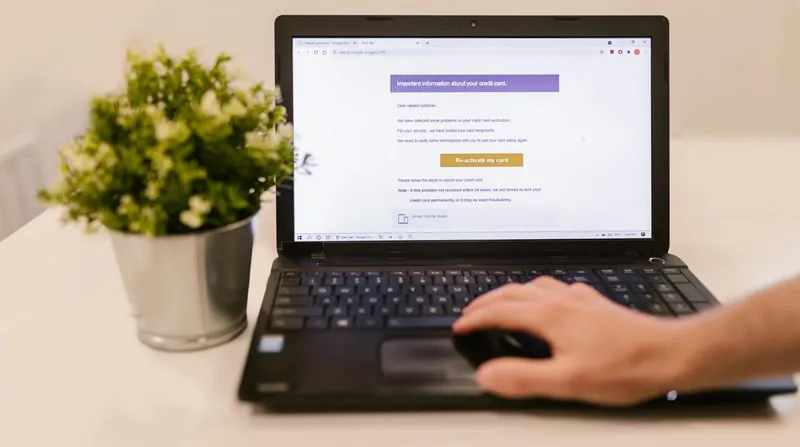
Welcome Email Series
Welcome sequences aren’t just a courtesy—they’re an expectation. Mailerlite studies show that 74% of subscribers look for them, and they can generate up to 320% more revenue than standard promotional emails. But a great welcome flow is more than a friendly hello. It’s your opportunity to set expectations, segment intelligently, and deliver an immediate win that builds trust from day one.
A strong sequence adapts to the subscriber, not the other way around. Use dynamic content to personalize each touchpoint based on where someone signed up, what they’ve shown interest in, and even their location. A referral subscriber might get a warm, community-driven introduction, while someone from a paid campaign sees value-forward messaging. Seasonal visuals can shift by geography, and a brief embedded micro-survey can quietly tag key preferences—style, budget, content frequency—without adding friction.
Across a concise 3–4 email arc, introduce your brand story, deliver a meaningful early benefit (such as a guide, sample, or curated picks), and invite subscribers to confirm or refine their preferences. The result is an evergreen, self-optimizing series that continually nurtures new signups, boosts engagement, and drives long-term conversion—without ongoing manual work.
Abandoned Cart Recovery
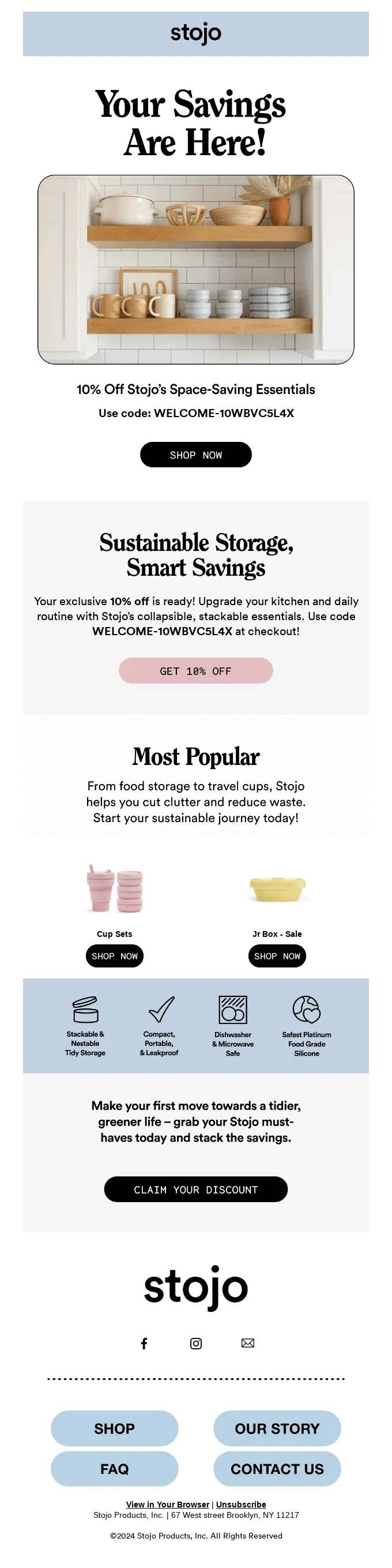
Nearly 1 in 3 shoppers who click an abandoned-cart email end up completing their purchase—making cart recovery one of the highest-impact automations you can run.
Effective cart recovery is specific, timely, and genuinely helpful. Start by using dynamic product blocks that automatically display the shopper’s exact items, including size, color, and real-time inventory availability. Supplement this with relevant recommendations to increase AOV.
Design a staggered sequence—for example, 1 hour → 24 hours → 72 hours—and shift the messaging at each step. Begin with a simple reminder and friction-reducing FAQs (shipping, returns, payment). Follow up with social proof, reviews, or guarantees to rebuild confidence. If your margins allow, test a targeted incentive in the final touch.
To maximize performance, branch the automation based on context:
High-demand items: Use urgency or scarcity cues.
Price-drop events: Trigger a “good news” message automatically.
For shoppers showing high purchase intent, integrate SMS as a fast follow-up. And always stop the flow immediately once a purchase occurs to avoid redundant or confusing messages.
Birthday & Anniversary Emails
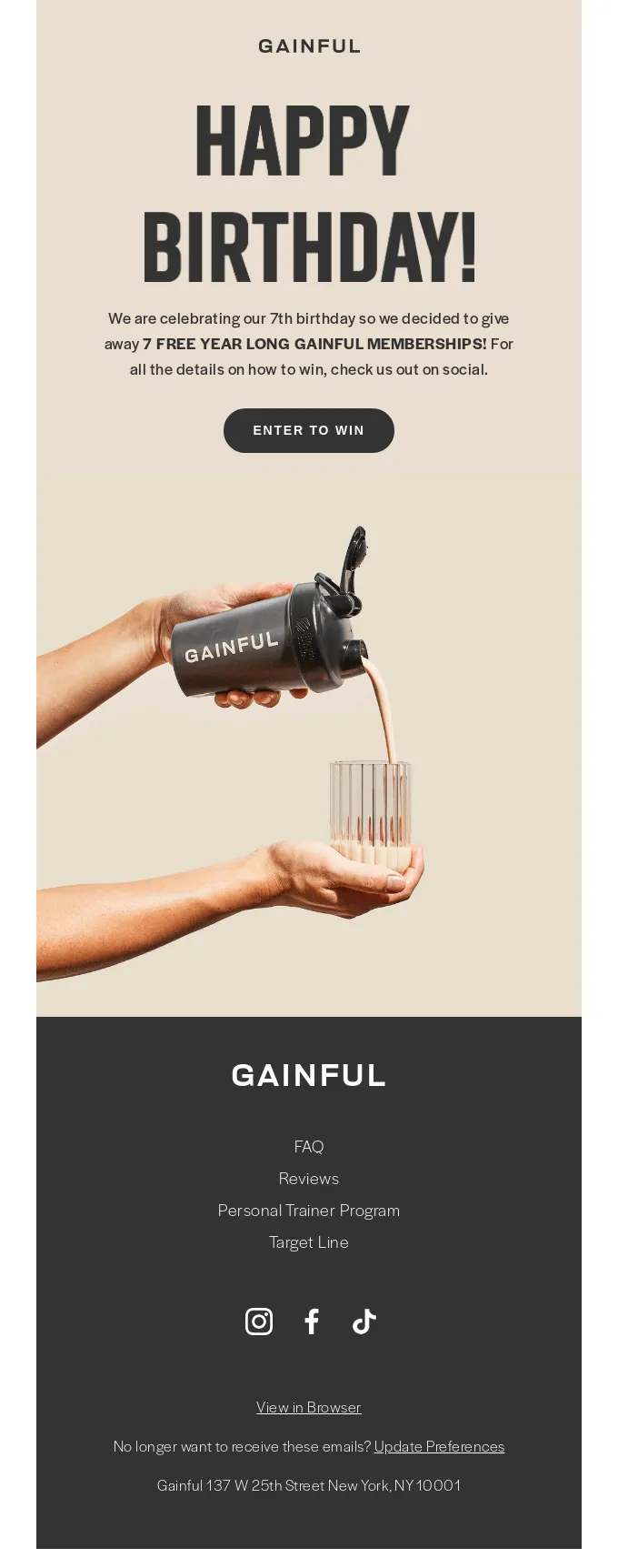
Birthday and anniversary emails are prime for zero‑party data and delight. Capture dates at signup or via a preference center, then build dynamic offers that match category affinity, past AOV, and local time zone.
Celebrate both personal milestones (birthday) and relationship milestones (first purchase anniversary), and make the gift relevant: recommend products that pair with their most‑bought items, include a build‑your‑bundle CTA, or offer tiered rewards for your VIPs. Tie the creative to season and location (e.g., cold‑weather care vs. summer essentials) and let send‑time optimization deliver right when they tend to engage. Done well, these automations feel personal and increase repeat conversions without blanket discounts.
Renewal and billing reminders
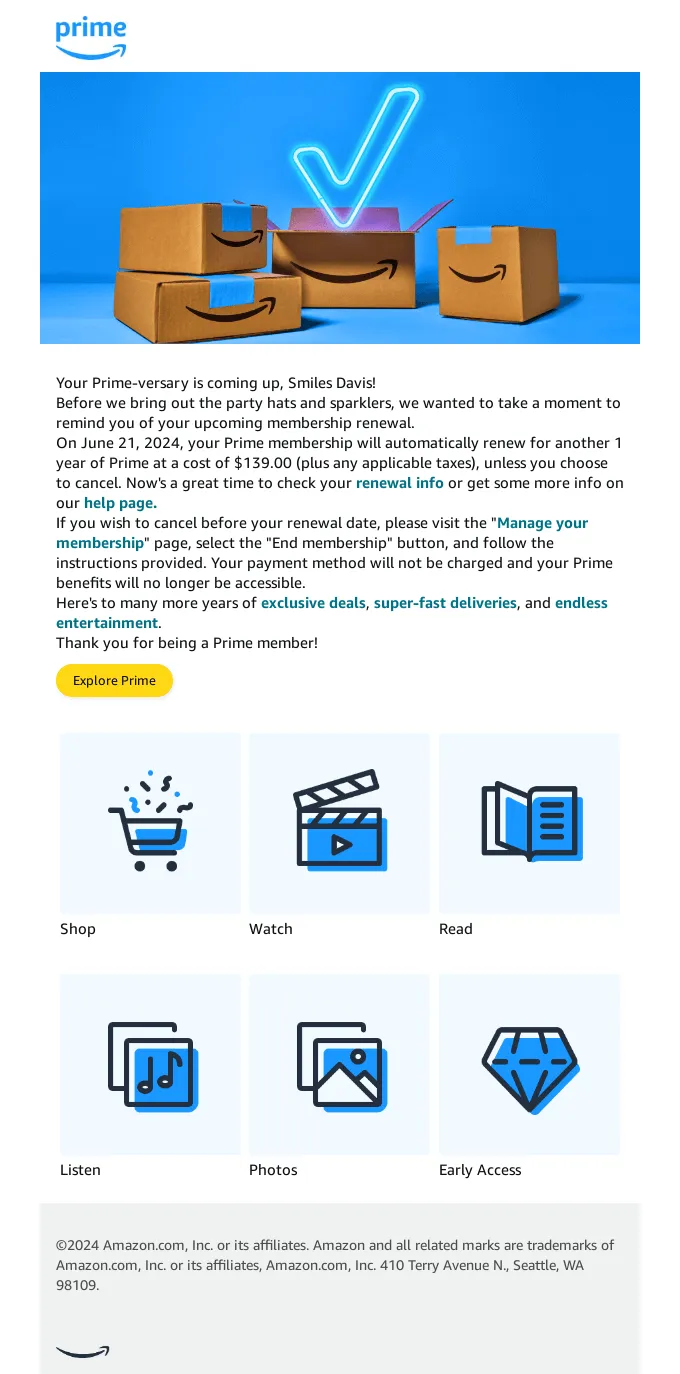
For subscriptions, SaaS, and consumables, renewal sequences should reassure and remove friction. Anchor your automation to the next billing date and use dynamic content to show plan tier, renewal amount, upcoming benefits, and actual usage/value delivered (features used, orders saved, refills due).
Schedule touchpoints like: “30 days out—value recap and upgrade/downgrade options,” “7 days out—confirm payment method,” “failed charge—dunning with smart retries and a one‑click payment update.” Branch messaging for annual vs. monthly plans, high‑tenure customers, and those with discounts expiring. Clear CTAs, transparent proration info, and multi‑channel nudges (email + in‑app + SMS) reduce churn while preserving trust.
Post-purchase and feedback requests
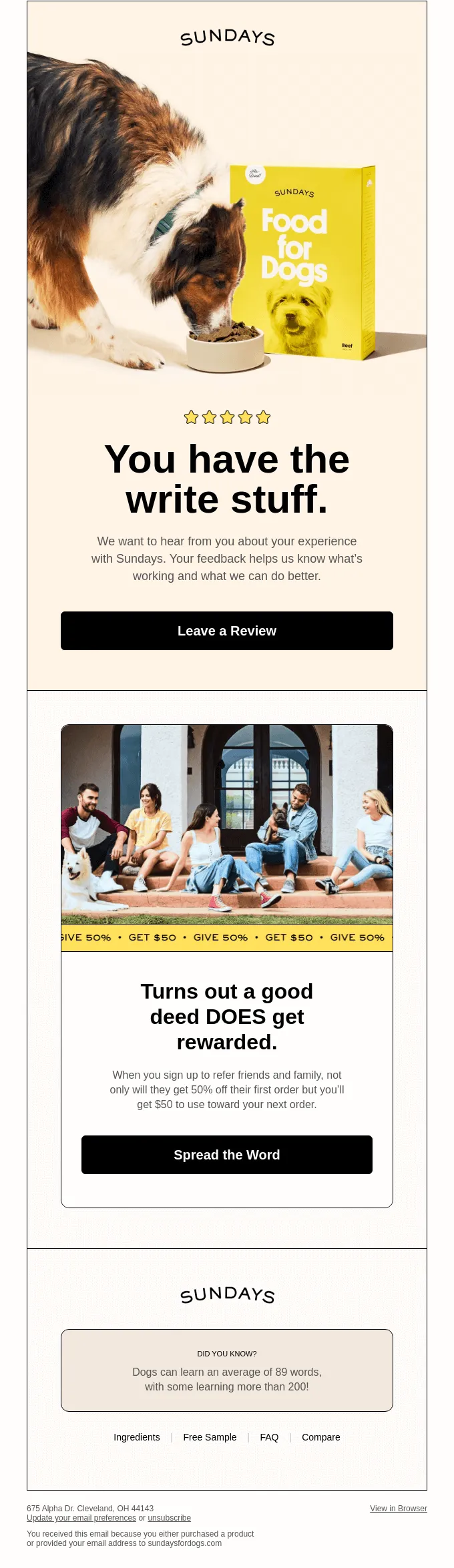
Your best customers are the ones who’ve already bought—follow up automatically to reinforce value and invite conversation. Try a two‑part flow:
Check in — 2 to 3 days after delivery, confirm everything arrived, share quick‑start tips or care guides, and include dynamic links to FAQs relevant to the purchased product.
Be helpful — 4 to 7 days later, request feedback with a short review or NPS survey. If positive, route to a referral or UGC submission. If negative, fast‑track to support. Add personalized cross‑sells that complement the original purchase and social proof to reaffirm their decision.
Branch timing by product type (e.g., longer windows for complex items), and surface different CTAs for new vs. repeat buyers. This automation builds social proof, surfaces issues early, and steadily increases lifetime value.
How to automate email with Automa?
Now, meet Automa. Automa is the most powerful AI automation software, designed to achieve system interconnection by integrating with thousands of apps like Gmail, Outlook, HubSpot, and Mailchimp. Automa helps you turn email into a scalable, high‑touch channel by combining workflow automation with AI. Instead of juggling manual sends, chaotic inboxes, and stale data, you can orchestrate personalized outreach, keep records clean, and surface the insights hidden in your messages.
Send automated emails that feel personal
Templates are great, but you don’t want to blast identical copy. With Automa, you can merge dynamic fields—like first name, company, role, or last interaction—right into your message. Pull those details from a CRM, a Google Sheet, Notion, or any web app Automa can reach, then use conditional logic to tweak tone, offers, and CTAs per recipient. The result: automated emails that read like you wrote each one by hand.
Generate tailored email content with AI
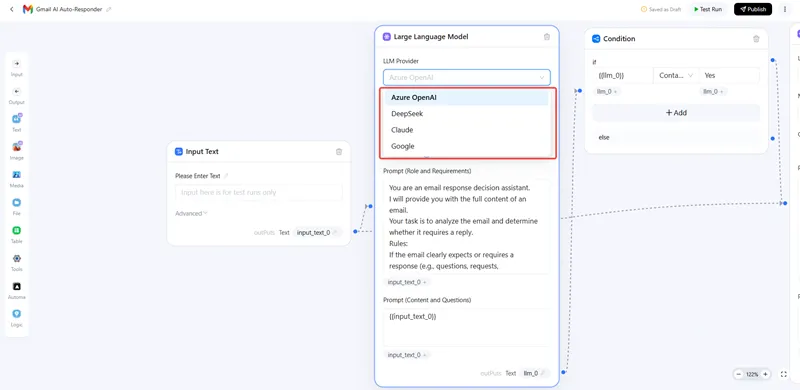
Need scalable personalization? Add AI to your Automa flow. Use the built-in LLM such as GPT-5 or Gemini 3, pass in structured context (prospect profile, past conversation, product notes), and receive polished copy you can drop into your email.
Keep your data organized and always up to date
Stop chasing updates across tabs. Automa can poll your data sources on a schedule to catch new leads, form fills, or record changes. When something updates, Automa can alert you by email and log the event to a single source of truth (Google Sheets, Airtable, or Notion). You can also run flows in reverse: parse incoming emails, extract sender, subject, key fields, and write them to your database for traceability and reporting.
Automate your timing
Automa’s scheduler lets you trigger actions at set intervals—hourly digests, daily reminders, weekly outreach, monthly renewals—or run cron-like schedules for precise timing. Prefer event-based sends? Read your Google Calendar or Outlook via API and trigger emails when a meeting ends, a webinar wraps, or a deadline passes. Add throttling, quiet hours, and randomized send windows to avoid spam flags and keep delivery natural.
Let AI manage your inbox
Turn your inbox into a triage center. Automa classifies incoming emails by intent (question, complaint, renewal, opportunity), scores priority, and routes to the right person or queue. It drafts suggested replies, summarizes long threads, extracts action items, and sets reminders or tasks in your CRM. Routine inquiries get instant, contextual auto‑responses. Sensitive messages are flagged for human review with recommended next steps and supporting knowledge links.
Store and organize attachments automatically
Attachments shouldn’t live in limbo. Automa can detect emails with files, download them, rename with consistent conventions, and upload to Google Drive, Dropbox, or SharePoint folders based on rules (client, project, date).
Extract actionable data from any email
Turn unstructured messages into clean, usable data. Automa can parse order numbers, invoice totals, dates, tracking IDs, and addresses using patterns or AI extraction, then push those fields into your CRM, accounting tool, or ticketing system. Kick off downstream workflows—create tasks, update deal stages, start fulfillment—or roll up metrics into dashboards, all without manual copy-paste.
Conclusion
Email automation is more than just a way to make things easier — it's a clever way of getting results. Teams can reduce manual work, improve customer experiences and increase revenue by understanding what email automation is, selecting the right email automation programmes and designing thoughtful email automation workflows, such as welcome series and cart recovery. Using platforms like Automa helps companies send the same message to lots of people in the right way, and makes email automations a key part of how they talk to customers.
Email automation FAQs
What is the difference between email automation and email marketing automation?
Although these phrases are often mixed up, they address different needs that go well together.
Email automation manages rule- or trigger-based, one-to-one workflows in and around the inbox. This means it can sort and tag messages, route inquiries, extract attachments, send autoresponders, or hand off a ticket to the right teammate. This helps people and teams communicate efficiently without having to do everything manually.
Email marketing automation lets you reach lots of people at once. It can create newsletters, send messages over time, and create campaigns based on people's behaviour. These campaigns can be things like welcome series or abandoned-cart reminders. The messages can be sent to lots of people at once and can be personalised.
What metrics should I track?
Think beyond the basics. Yes—open rate, CTR, conversion rate per workflow, revenue per email, unsubscribe rate, and bounce rate are the usual suspects. But if you’re running lifecycle programs, don’t forget the deeper signals: cohort retention and whether your emails are actually lifting LTV. Those numbers tell you what’s really working.
Do I need a large email list to benefit from automation?
Absolutely not. Size isn’t the magic factor here. Even a small list becomes more powerful when messages go out at the right moment with the right context.
How can I improve my email automation strategy?
Start with segmentation, not just “new vs. existing.” Measure everything that matters, and keep your content laser-relevant. Then experiment: subject lines, send times, message frequency. Swap time-based triggers for behavior-based ones whenever possible. And never stop testing. A/B tests are your best friend for figuring out what resonates and what doesn’t.
Why does your business need automated emails?
Because doing everything manually simply doesn’t scale. Automated emails move faster, stay consistent, and don’t get tired. They make the customer experience smoother, push revenue upward, and give you clearer data to steer your next move.